
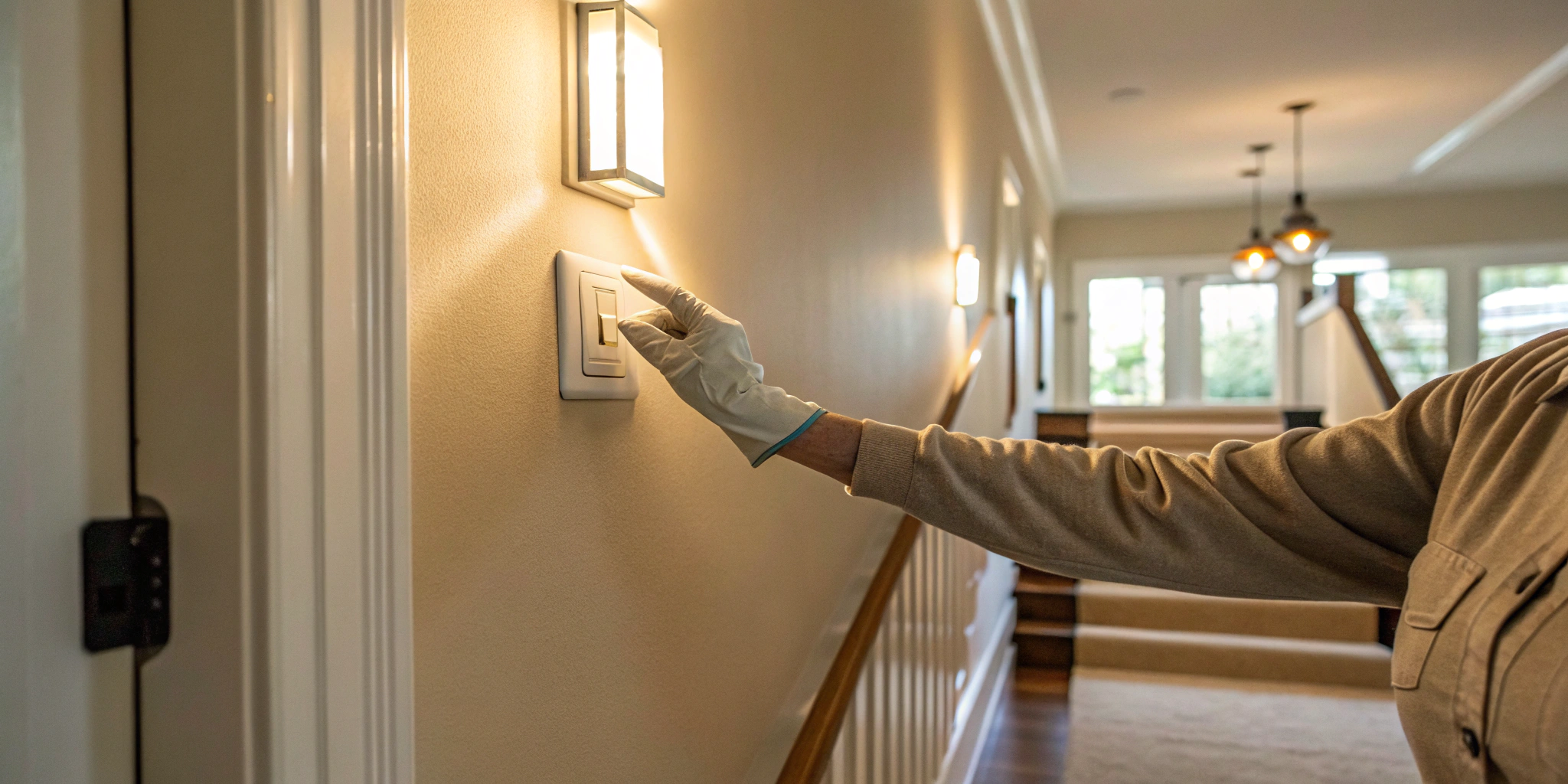
Staring at a broken motion sensor switch? Don’t call an electrician just yet. This is a project you can absolutely handle yourself. With the right instructions and a focus on safety, learning how to change a light switch to a motion sensor is easier than you think. This guide skips the complicated jargon and gives you a clear, step-by-step process for a successful motion sensor light switch installation. We’ll cover the essential tools, the safety checks you can’t skip, and the simple wiring to get your lights working perfectly again.
Key Takeaways
- Prioritize Safety Above All: Start every electrical project by turning off the power at the breaker and double-checking with a voltage tester. When in doubt about complex wiring, calling a professional is the smartest move.
- Document Before You Disconnect: Snap a quick photo of the existing wiring and use tape to label each wire before removing the old switch. This simple prep work prevents guesswork and makes connecting the new switch straightforward.
- Calibrate for Custom Control: Installation is only half the job; take time to adjust the sensor’s sensitivity and timer settings. Fine-tuning these controls ensures the light works for your specific room and lifestyle, not against it.
Choosing the Right Motion Sensor Switch
Before you can replace a motion sensor switch, you need to pick the right one for the job. It’s about more than just finding one that fits the electrical box; it’s about matching the switch to the room and your lifestyle. The best motion sensor switches add a layer of convenience and safety to your home, turning lights on automatically when you enter a room with your hands full. They also help save energy by ensuring lights aren’t left on in empty rooms, which is a simple way to trim down your electricity bill. Thinking through where the switch will go and what kind of wiring you have will make the installation process much smoother and ensure you get the results you’re looking for.
Where to Install Motion Sensor Switches
Motion sensor switches are incredibly practical, but they shine brightest in certain areas of the home. Think about the rooms you pass through quickly or places where you often forget to turn off the lights. They are perfect for laundry rooms, pantries, and large closets where you’re usually carrying things in and out. Bathrooms and kids’ rooms are also prime locations, as lights in these spaces are frequently left on by accident. Installing a motion sensor here means you’ll never have to nag anyone to flip the switch again. By placing them strategically, you can make your daily routines a little easier and more efficient, one automatically lit room at a time.
Different Types of Motion Sensor Switches
Once you know where you want to install your new switch, you need to figure out which type you need. This comes down to two main factors: the features you want and the existing wiring in your walls. A simple light switch is straightforward, but motion sensors can have different wiring requirements. Some need a neutral wire to function, while others don’t. The complexity also changes if you have one light controlled by multiple switches. Taking a moment to understand these differences will help you buy the correct product and avoid a frustrating trip back to the hardware store. It’s the key to a successful and stress-free installation.
Standard vs. Smart Switches
Your first choice is between a standard motion sensor and a smart one. A standard switch does one job: it detects motion and turns the light on or off. It’s simple and effective. A smart switch, on the other hand, connects to your home’s Wi-Fi. This allows you to control the lights and adjust settings from a smartphone app, even when you’re not home. The main difference in installation is that most smart switches require a white “neutral” wire to power their smart features, which isn’t always present in older homes. A standard switch often only needs the two “hot” wires, making it a simpler swap in some cases.
Single-Pole vs. 3-Way Switches
Next, you need to determine if you have a single-pole or a 3-way switch. A single-pole switch is the only switch that controls a particular light. A 3-way switch is when two separate switches control the same light, like at the top and bottom of a staircase. The wiring is more complex for a 3-way setup, involving extra “traveler” wires that run between the two switches. If you’re replacing a 3-way switch, you must buy a motion sensor specifically designed for that configuration. If you open the switch box and see a web of wires that looks more complicated than you expected, it might be time to call in a professional. For these kinds of electrician repairs, an expert can ensure everything is wired safely and correctly.
What You’ll Need for This Project
Before you touch a single wire, let’s get everything you need together. Having all your tools and materials laid out makes the job go much smoother and safer. Think of it as your pre-flight checklist. A little preparation now prevents scrambling for a tool with live wires exposed later. This project doesn’t require a massive toolbox, but you will need a few specific items to get it done right. Running to the hardware store mid-project is a hassle, so take a moment to gather these essentials first. Once you have everything in one place, you’ll be ready to tackle the installation with confidence.
The Right Tools for the Job
You’ll need a handful of basic tools for this project. First, grab a non-contact voltage tester—this is non-negotiable for confirming the power is off. You’ll also need a Phillips head and a flathead screwdriver for removing the old switch and installing the new one. A pair of wire cutters or strippers will be necessary for trimming and preparing the wires for connection. Finally, have some wire connectors, also known as wire nuts, on hand. Your new motion sensor switch will likely come with a few, but it’s always good to have extras just in case. These simple tools are the key to a clean and secure installation.
Your New Motion Sensor Switch
The main item on your shopping list is, of course, the new motion sensor light switch itself. There are many brands and styles available, so choose one that fits your needs and aesthetic. When you buy the switch, check the package to see what’s included. Most will come with the necessary wire caps (or wire nuts) needed to connect the wires securely. It’s a good idea to read the instructions that come with your specific switch before you start, as there might be slight variations between models. Having the right materials ensures all your connections will be safe and up to code.
And Don’t Forget Safety Gear
This is the most important step of all. Working with electricity is serious, and your safety comes first. Before you do anything else, you must turn off the power to the light switch at your main circuit breaker panel. Don’t just rely on flipping the switch off. If you’re even slightly unsure about which breaker controls the switch or feel uncomfortable at any point, it’s always best to stop and call a professional. Our team of licensed electricians is always ready to help with any electrician repairs to ensure the job is done safely and correctly. There’s no shame in calling for backup when it comes to electrical work.
Before You Start: Critical Safety Steps
Before you even think about touching a wire, let’s talk about safety. Working with electricity isn’t the time to cut corners, and a little preparation goes a long way. These next few steps are non-negotiable and will ensure your project goes smoothly and safely from start to finish. Taking a few extra minutes to prepare can prevent accidents, protect your home, and give you peace of mind as you tackle this DIY project.
First, Turn Off the Power
Your first and most critical move is to head to your home’s main breaker box. Find the circuit that controls the light switch you’re replacing and flip it to the “OFF” position. If your breakers aren’t clearly labeled—which is more common than you’d think—you might need a helper. Have them stand in the room and confirm the light goes out as you flip breakers one by one. Once you’ve found the right one, place a piece of tape over the switch with a note so that no one accidentally turns it back on while you’re working.
Use a Voltage Tester to Be Sure
Think of this as your “trust but verify” moment. Just because you flipped the breaker doesn’t mean you should assume the power is off. A non-contact voltage tester is an inexpensive and essential tool for this job. You don’t even have to touch any wires with it. Simply hold the tip of the tester near the screws on the side of the old switch and then near each wire. If the tester lights up or beeps, there’s still a current. If that happens, go back to the breaker box. If you’re ever unsure, it’s always best to call for professional electrician repairs.
The Live-Dead-Live Safety Check
Before you touch a single wire, it’s critical to be 100% certain the power is off. For this, I always use a simple but effective method called the Live-Dead-Live check. This isn’t just a casual suggestion; it’s a professional safety protocol that removes any doubt before you start working. Think of it as the gold standard for electrical safety in your home. This three-step process confirms that the circuit is off and that your testing tool is working correctly, allowing you to proceed with complete confidence.
- Test It Live: Before you do anything at the breaker box, use your non-contact voltage tester on the switch you’re about to replace. Hold it near the terminal screws and wires. The tester should light up or beep. This confirms two things: the circuit has power, and your tester is working correctly.
- Make It Dead: Now, go to your breaker panel and flip the correct breaker to the “OFF” position. Head back to the switch and perform the exact same test with your voltage tester. This time, there should be no light and no beep. This is your confirmation that the power to the switch is cut.
- Test It Live (Again): For an extra layer of safety, take your voltage tester to a nearby outlet that you know is on a different circuit and still has power. If it lights up, you know your tester is still working perfectly. This final check ensures you can trust the “Dead” reading you just got.
Following the Live-Dead-Live process gives you the confidence to handle the job safely. It’s a simple habit that makes all the difference. However, if you perform the check and still get a live reading, or if you’re just not comfortable with what you see inside the electrical box, it’s time to pause. Your safety is always the top priority. When there’s any uncertainty, especially with older wiring or confusing breaker boxes, making the call to a professional for electrician repairs is the smartest move you can make.
Gear Up and Stay Dry
Now it’s time to get your tools and yourself ready. Gather everything you’ll need so you aren’t searching for things mid-project. This includes a screwdriver (both Phillips and flat-head, just in case), wire cutters/strippers, and the wire connectors that likely came with your new switch. It’s also a smart idea to wear safety glasses to protect your eyes from any debris. Most importantly, make sure your hands and the area you’re working in are completely dry. Water and electricity are a dangerous mix, so taking this precaution is crucial for your safety.
How to Remove the Old Light Switch
With the power safely off, you’re ready to get the old switch out of the wall. This part of the process is all about being methodical. Taking your time here will make installing the new switch much smoother. The goal is to carefully detach the old unit while keeping track of which wire goes where. Think of it as creating a clear roadmap for yourself for the next phase of the project. Don’t rush—just follow these simple steps to get it done right. If at any point the wiring looks frayed, overly complex, or just doesn’t feel right, it’s always best to pause and call a professional for electrician repairs. Your safety is the top priority.
Unscrew the Plate and Switch
First things first, let’s get that old switch exposed. Grab your screwdriver and remove the small screws holding the plastic or metal cover plate to the wall. Set the plate and its screws aside somewhere safe where they won’t get lost. Now you’ll see the switch itself, mounted inside the electrical box with two more screws, usually at the top and bottom. Carefully unscrew these and gently pull the entire switch unit out from the wall box. The wires will still be attached, so pull it out just far enough to give yourself room to work comfortably.
Tip: Dealing with a Painted-On Faceplate
Sometimes the biggest challenge is just getting the faceplate off the wall, especially in older homes where it’s been painted over multiple times. Before you pry it off and risk damaging your drywall, carefully score the paint around the edge of the plate with a utility knife to break the seal. Then, slightly loosen the screws before you gently work the plate free. If you want to salvage a metal faceplate, there are some clever tricks for cleaning paint off the old hardware. One popular method involves soaking the metal plate in a slow cooker with a bit of dish soap and water overnight on a low setting. By morning, the paint should peel right off, leaving your hardware looking good as new.
Snap a Photo of the Wiring
Before you touch a single wire, pull out your phone and take a quick picture. Get a clear shot of how all the wires are connected to the screws on the old switch. This might seem like a small step, but it’s one of the most helpful things you can do. This photo becomes your custom-made instruction manual, showing you exactly how to install the new switch later. It takes the guesswork out of the equation and is a fantastic reference if you get interrupted or forget which wire goes where.
Disconnect and Label Each Wire
With your photo as a guide, it’s time to label the wires before you disconnect them. A little bit of painter’s tape and a marker work perfectly for this. Wrap a small piece of tape around each wire and label it based on which terminal it’s connected to (e.g., “hot,” “load,” “ground,” or “neutral”). Once every wire is clearly labeled, you can use your screwdriver to loosen the terminal screws and carefully detach each wire from the old switch. This simple act of labeling will prevent any confusion when you’re ready to connect your new motion sensor switch.
Prepping the Wires for the New Switch
With the old switch successfully removed and your wires clearly labeled, you’re ready to prepare them for the new motion sensor switch. This step is all about creating clean, solid connections to ensure everything works safely and reliably. Take a moment to look at the ends of the wires you just disconnected. If the exposed copper looks frayed, bent, or corroded, it’s best to snip off the very end with your wire cutters. Then, using your wire strippers, carefully remove about a half-inch of the plastic insulation from the end of each wire. This exposes a fresh section of copper, providing a perfect surface for the new switch to make a secure electrical connection and ensuring consistent power flow.
Now it’s time to make the connections, and this is where your earlier prep work really pays off. Refer to the photo you took and the labels on your wires. Your new motion sensor switch will have its own set of wires or screw terminals, which are typically color-coded or labeled. Following the manufacturer’s instructions included with your new switch, match each labeled wire from the wall to its corresponding wire or terminal on the new device. For example, you’ll typically connect the “hot” wire to the black wire on the switch and the ground wire to the green screw. Taking your time here and double-checking each connection against the instructions is the key to getting it right.
Once you’ve connected the corresponding wires, you’ll need to secure them using wire nuts. If your switch has wires instead of screw terminals, hold the exposed copper ends of the matching wires together and twist a wire nut over them in a clockwise direction. Keep twisting until it feels snug and secure, with no exposed copper showing. Give the wires a gentle tug to ensure they are firmly held in place. If the wiring in your box looks different from the instructions, or if you feel at all uncertain, this is the perfect time to pause. For peace of mind, you can always count on a licensed professional for any electrician repairs to ensure the job is completed safely.
How to Install the New Motion Sensor Switch
With the old switch out of the way, you’re ready for the main event: installing your new motion sensor switch. This part is all about making the right connections. Take your time, follow the instructions that came with your new switch, and refer back to the photo you took of the original wiring. Getting this right is key to having a switch that works correctly and safely for years to come.
Start with the Wiring Diagram
Before you touch a single wire, grab the instruction manual that came with your new motion sensor switch. It might seem like a small step, but it’s the most important one. As the experts at Four Generations One Roof point out, you should “always follow the specific instructions that come with your motion sensor switch, as different brands might have different wiring steps.” While most follow a standard color code, some models have unique requirements. The diagram in the manual is your specific roadmap, showing you exactly which wire from the switch connects to which wire in your wall. Take a moment to identify the hot, load, neutral, and ground wires on your new device.
Connect the Ground Wire First
Safety first, always. The ground wire is your primary safety feature, so it’s the first connection you should make. This wire is typically bare copper or covered in green insulation. Find the ground wire coming from your new switch and connect it to the ground wire inside the electrical box. You’ll secure them by twisting a wire nut over the ends until it’s snug. Give the wires a gentle tug to make sure the connection is solid. If your electrical box is metal, you may also see a short ground wire connected to the box itself; your new switch’s ground wire should be connected to this group.
Connect the Hot, Load, and Neutral Wires
Now it’s time to connect the wires that make the switch work. Refer to your diagram and the labels you made earlier. Typically, you’ll connect the black “hot” wire from the wall to the black wire on your switch. This is what supplies power. Next, connect the wire that goes to the light fixture (the “load” wire) to the corresponding wire on the switch, which is often red. Finally, connect the white neutral wires. Most modern motion sensors need a neutral wire to function, so connect the white wire from the switch to the bundle of white wires in the box. Use wire nuts for each connection, ensuring they are tight and secure.
Identifying the “Hot” Wire
If your labels fell off or the wires weren’t clearly connected to marked terminals, you’ll need to figure out which one is the “hot” wire. To do this, make sure the wires are separated and not touching anything. Then, you’ll need to briefly turn the power back on at the breaker. Carefully use your voltage tester to check which wire carries a current; as the experts at Four Generations One Roof explain, this is your “hot” wire. The other wire will be the “load” wire, which runs to the light fixture. Once you’ve identified it, immediately head back to the breaker and turn the power off again. Confirm it’s off with your tester before you proceed with any connections.
What If There’s No Neutral Wire?
Opening up the electrical box in an older home can sometimes reveal a surprise: no white neutral wire. Don’t panic; some motion sensors are designed for this. If your wall box has a white neutral wire, you’ll connect the white wire from your sensor to it. However, as one popular tutorial shows, if there’s no neutral wire present, you may be instructed to connect the sensor’s designated wire (often green-sleeved) to the bare copper or green ground wire instead. It is critical to check your new switch’s manual, as some models absolutely require a neutral wire to function. If your wiring doesn’t match the instructions, it’s the perfect time to pause and call for professional electrical help to ensure it’s done right.
Capping Off Unused Wires
Your new motion sensor switch might come with more wires than you actually need for your setup. For example, it might have an extra wire (often blue or yellow) intended for a 3-way switch installation, where two switches control one light. If you’re installing it in a standard single-switch location, you’ll have an unused wire. It is crucial that you don’t just leave this wire exposed. For safety, you must cap it off with a wire nut. Just twist a wire nut onto the end of the unused wire until it’s secure. This prevents it from accidentally touching another wire or the metal electrical box, which could cause a short circuit.
Mount the Switch and Attach the Faceplate
With all the wires securely connected, it’s time to put everything back together. Gently fold and push the wires back into the electrical box, being careful not to crimp them or loosen any of your connections. Position the new motion sensor switch in the box and use the provided screws to mount it to the wall. Before you tighten the screws completely, make sure the switch is level and straight. Once it’s secured, all that’s left is to attach the new faceplate. It should snap or screw into place easily, giving your project a clean, finished look.
Working with Screwless Faceplates
Many modern switches feature a screwless faceplate for a clean, seamless finish. These typically come in two parts: a sub-plate that screws onto the electrical box and the decorative cover that snaps over it. After mounting your switch, attach the sub-plate first. If the switch sits too far back in the box, you may need to add small spacers behind its mounting tabs to ensure it sits flush. Once the sub-plate is secure, the final step is straightforward. You simply need to snap the cover plate on until it clicks into place. Take a moment to check that it’s level and aligned for that perfect, professional look.
Testing and Fine-Tuning Your Switch
With your new motion sensor switch securely installed, it’s time for the final step: making sure it works exactly how you want it to. This is where you’ll test the sensor’s range and fine-tune the settings to match your room and lifestyle. Before you do anything else, take a moment to double-check that all your wire connections are tight and secure. A loose wire can cause problems down the road. Once you’re confident in your installation, you can move on to calibration. If you run into any issues during testing that you can’t solve, don’t hesitate to call in a professional. Our team is always ready to handle any electrician repairs to ensure your home’s electrical system is safe and functional.
Flip the Breaker and Start Testing
Head back to your breaker box and flip the circuit breaker back to the “On” position. The light connected to your new switch may turn on immediately. Now, look for a small button or switch on the motion sensor itself, which is often labeled “Test Mode.” Most models have this feature, and it’s incredibly helpful. Setting the switch to “Test” mode makes the light turn off very quickly after it stops sensing motion, usually within a few seconds. This allows you to test the sensor’s detection range efficiently without having to wait several minutes between each test.
Does It See You? Checking the Range
With the switch in Test Mode, step out of the room and wait for the light to turn off. Then, slowly walk back into the room from different angles and doorways. Pay attention to the exact spot where the light turns on. This helps you map out the sensor’s field of view and identify any potential blind spots. Does it catch you as soon as you walk through the door? Does it detect movement in all the key areas of the room? Walk around the space to get a clear understanding of what the sensor can and cannot “see.”
Fine-Tuning the Sensitivity and Timer
Now it’s time to customize the switch for your daily life. You can adjust the sensitivity to control how much movement is needed to trigger the light. If you find the light turns on too often, like when a pet walks by, you can lower the sensitivity. Some people even place a small piece of electrical tape over part of the sensor to narrow its view. You’ll also want to set the timer, which determines how long the light stays on after no motion is detected. Common options include one, five, 15, or 30 minutes. Choose a duration that makes sense for the room—a pantry might only need a minute, while a garage or workshop could benefit from a longer setting.
Understanding Operating Modes
Most motion sensor switches offer more than just automatic on/off functionality. Take a moment to explore the different operating modes, which are usually controlled by a small button on the switch itself. You’ll typically find an “Auto” mode, where the sensor works as expected, turning lights on with motion and off after a set time. Many also have a “Manual” or “On” mode, which overrides the sensor and keeps the light on until you turn it off, perfect for when you’re cleaning or working on a project. Some switches even have a “Vacancy” mode, where you have to turn the light on manually, but it will turn off automatically when you leave. Fine-tuning these controls ensures the light works for your specific lifestyle, not against it.
Setting the Time Delay
The time delay setting is one of the most important adjustments you’ll make. This feature determines how long the light stays on after the sensor stops detecting motion. You can usually choose from several options, such as one, five, 15, or 30 minutes. The right setting depends entirely on the room’s function. For a space you pass through quickly, like a pantry or closet, a one-minute delay is often perfect. However, for a room where you might be still for periods, like a garage, laundry room, or workshop, a longer setting of 15 or 30 minutes will prevent the lights from shutting off while you’re in the middle of a task.
Adjusting Physical Sensitivity
If you find your new light is a bit too eager, turning on every time a pet walks by or a curtain flutters, you’ll want to adjust its sensitivity. Most motion sensors have a small dial or switch that lets you control how much movement is required to trigger the light. Lowering the sensitivity can prevent these false alarms. For a more targeted fix, some people place a small, strategic piece of electrical tape over a portion of the sensor lens. This simple trick can effectively narrow the sensor’s field of view, preventing it from picking up movement in unwanted areas, like a busy hallway just outside the room.
Advanced Features for Smart Switches
If you installed a smart motion sensor switch, you have even more control. These devices often connect to your home’s Wi-Fi, allowing you to adjust settings directly from an app on your phone. Smart motion sensor dimmers are particularly great for saving energy, as they ensure lights aren’t left on at full brightness when no one is around. They also add a layer of convenience, automatically turning on lights in dark places like garages or basements the moment you enter. If you’re interested in integrating more smart technology into your home, exploring these advanced features is a great next step in modernizing your residential electric systems.
Something Not Working? Let’s Fix It
So you’ve installed your new motion sensor switch, but it’s not quite working as you expected. Don’t worry! Most issues are easy to fix with a few simple adjustments. Before you assume you have a faulty switch, let’s walk through some of the most common problems and how to solve them. From a light that won’t turn on to one that won’t turn off, a little fine-tuning is usually all it takes to get your switch working perfectly.
Switch Not Detecting Motion?
It can be frustrating when your new switch doesn’t seem to notice you’re there. Often, the fix is as simple as adjusting the sensitivity settings. Your switch might be set too low to pick up movement. Another common culprit is an obstruction—make sure nothing is blocking the sensor’s view, not even a thin layer of dust. Give the sensor a gentle wipe with a soft, dry cloth. If you’ve tried adjusting the settings and clearing the path, the switch may just need a quick reset. For a more detailed guide, you can find excellent troubleshooting steps for motion sensors that walk you through the process.
Why Won’t the Light Turn Off?
A light that stays on indefinitely can defeat the whole purpose of an energy-saving motion sensor. This usually happens for one of two reasons. First, the sensitivity might be set too high, causing the switch to react to tiny movements like a curtain swaying in the breeze. Try dialing the sensitivity back a bit. Second, the photocell sensor, which detects ambient light, could be dirty or malfunctioning. A quick cleaning can often solve the problem. If the light still won’t turn off, you might need a more in-depth troubleshooting guide for motion detector lights to explore other potential causes.
Is Your Light Turning On Randomly?
Are your lights turning on when nobody is in the room? This is known as a “false trigger,” and it’s typically caused by environmental factors. Things like swaying tree branches outside a window, pets roaming the house, or even headlights from a passing car can set off a sensitive switch. The first step is to adjust the sensitivity to a lower level. If that doesn’t work, you may need to reposition the switch or install a small shield to block the sensor’s view of the problem area. Seeing how others have solved this can be helpful, and you can find some great community discussions on motion sensor light switches online.
How to Check for Wiring Problems
If your switch seems to activate—you might hear a click or see an indicator light—but the fixture itself doesn’t turn on, you could have a wiring issue. This often points to a loose connection or a wire in the wrong terminal. If you’re comfortable and have turned the power off at the breaker, you can remove the faceplate and gently tug on each wire to ensure it’s secure. However, if you’re unsure about the wiring, this is the point where it’s safest to call a professional. Electrical work can be dangerous, and our team of electrician repair experts is always here to help ensure the job is done safely and correctly.
Still Stuck? When to Call a Pro
Tackling a home improvement project yourself can be incredibly rewarding. But when it comes to electrical work, honesty about your comfort level is key. While changing a light switch seems straightforward, your safety is always the top priority. If you find yourself hesitating at any point, especially when dealing with the circuit breaker or testing wires, it’s a clear sign to pause and call for professional help. There’s no shame in recognizing when a project is outside your wheelhouse.
Think of it this way: if the wiring in your wall doesn’t look exactly like the diagrams, or if you encounter anything unexpected, it’s better to be safe than sorry. Older homes, in particular, can have complex or outdated wiring that requires a trained eye. Guesswork with electricity can lead to serious risks, including electrical shocks or even fires. If you have any doubt about your ability to complete the job safely, the smartest and safest decision is to contact a licensed electrician for electrician repairs.
Our team of experts handles these kinds of installations every day. We can ensure your new motion sensor switch is installed correctly and safely, giving you peace of mind. It’s not about giving up on a DIY project; it’s about making a responsible choice for your home and family. For any residential electrical needs, from simple switch installations to more complex issues, trusting a professional is always the right call.
Simpler Alternatives to a New Switch
If the idea of replacing a switch feels a bit daunting, you’re not alone. The good news is you don’t have to open up your walls to get the convenience of motion-activated lighting. There are a couple of clever, user-friendly alternatives that can give you the same hands-free results with far less effort. These options are perfect if you’re renting, not quite ready to tackle wiring, or just want a quick solution for a specific area like a closet or a garage. They offer a simple way to add smart lighting to your home without needing a toolbox or an electrician.
Motion-Sensing Light Bulbs
One of the most straightforward ways to get motion-activated lighting is to simply change a light bulb. Motion-sensing bulbs have a small passive infrared (PIR) sensor built right into them, which often looks like a little dome at the tip of the bulb. The installation is as easy as it sounds: you just unscrew your old bulb and screw in the new one. There’s no wiring and no fuss. These are an excellent choice for areas where you often have your hands full, like laundry rooms, pantries, or basements. You can explore different motion-sensing bulbs that fit standard fixtures, making this a quick and effective upgrade for almost any room.
In-Line Motion Sensors
For lamps and other plug-in fixtures, an in-line motion sensor is a fantastic option. This small device, often sold as a motion-activated electrical outlet, gets added to the power cord between the light and the wall outlet. It essentially adds a motion-detecting “brain” to any standard lamp or string of lights. This approach gives you a lot of flexibility, as you can place the sensor in the most effective spot to detect movement, which might not be right next to the light itself. It’s a great way to have a lamp turn on when you enter a dark room or to automate decorative string lights without having to touch any of your home’s hardwired electrical systems.
Related Articles
- The Ultimate Guide to Motion Sensor Light Installation
- What’s the Real Transfer Switch Installation Cost?
- Step-by-Step Electrical Junction Box Installation Video
Frequently Asked Questions
What if the wiring in my wall doesn’t match the colors in this guide? It’s very common for wiring colors to differ, especially in older homes. This is exactly why taking a photo of your original setup is so important—it’s your most reliable guide. However, if you pull the old switch out and find a confusing bundle of wires or colors that don’t match your photo or the new switch’s diagram, stop what you’re doing. Guessing is never a safe option with electrical work, and this is the perfect time to call a professional electrician to sort it out safely.
My new switch requires a neutral wire, but I don’t see one. What should I do? This is a common situation, as many older homes weren’t wired with a neutral wire in the switch box. While most modern motion sensors need this wire to power themselves, some models are designed to work without one. If your switch requires a neutral and you don’t have one, you cannot complete the installation. This is not a simple fix and requires a licensed electrician to run a new wire, so it’s best to contact a professional for help.
Will a motion sensor switch work with any type of light bulb? Most new motion sensor switches are designed to be compatible with all common bulb types, including LEDs, CFLs, and traditional incandescent bulbs. That said, you should always check the packaging of your specific switch. It will list the types of bulbs it works with and, more importantly, the maximum wattage it can handle. Using an incompatible bulb or exceeding the wattage limit can cause flickering or damage to both the switch and the bulb.
My lights keep turning on when no one is in the room. Is the switch broken? It’s highly unlikely that your switch is broken. This issue, known as a “false trigger,” is usually caused by the sensitivity being set too high. The sensor might be picking up movement from an air vent blowing a curtain, a pet walking by, or even shifting sunlight from a window. Go back to the calibration steps and try lowering the sensitivity setting. You may need to experiment a bit to find the perfect balance for your specific room.
How long should this installation take if I’m a beginner? If it’s your first time changing a light switch, it’s wise to set aside about an hour for the project. This gives you plenty of time to work carefully, double-check your steps, and read the instructions thoroughly without feeling rushed. An experienced DIYer might do it in 20 minutes, but your goal isn’t speed—it’s safety and a job done right. Taking your time is the best way to avoid mistakes.