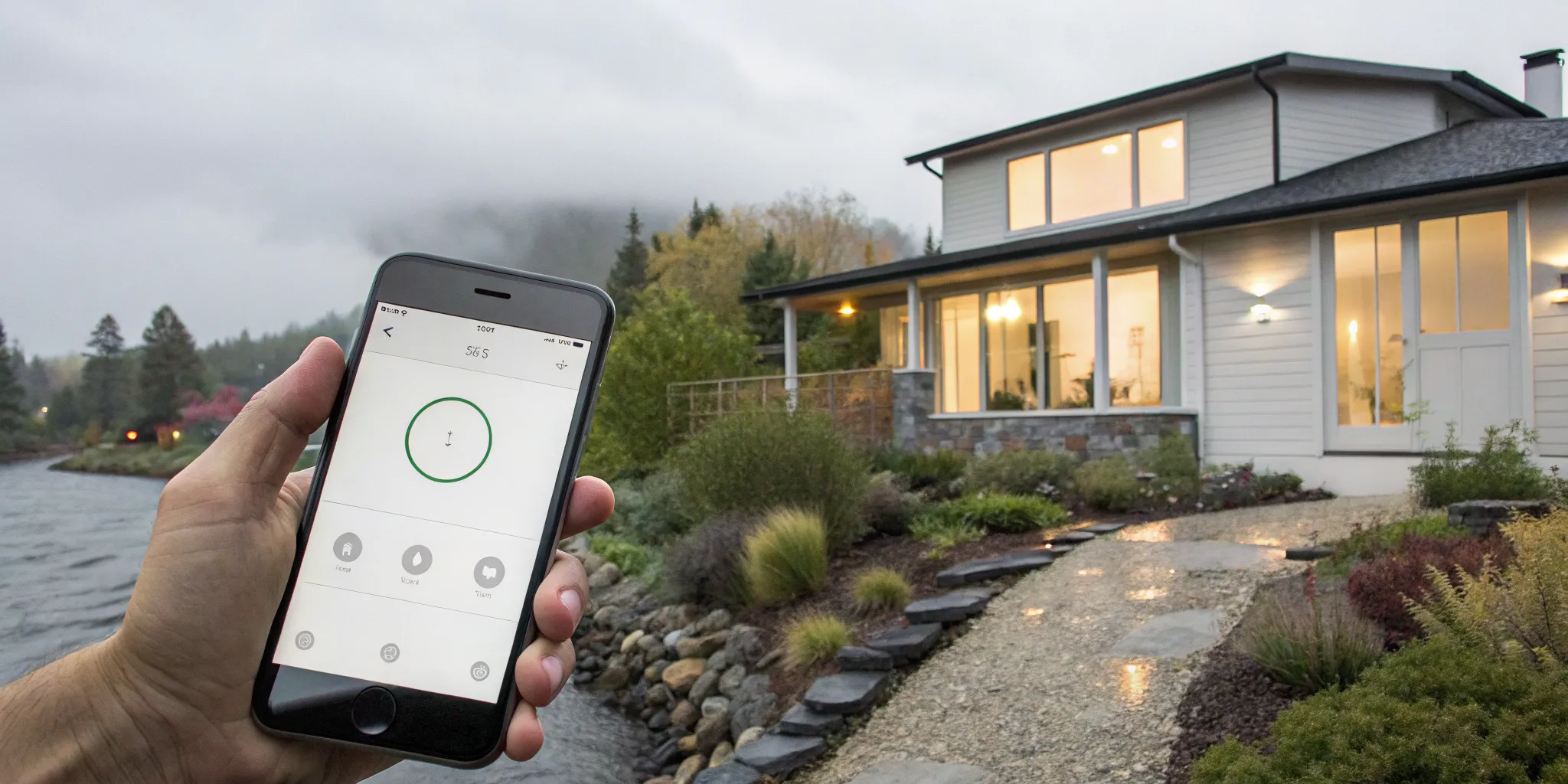
You use your phone to manage your thermostat and security cameras, so why is your home generator—one of your most critical systems—still a mystery? That’s the exact problem Generac Mobile Link was designed to solve. It transforms your generator from a passive machine you only think about during an outage into a smart, responsive part of your home’s ecosystem. This powerful monitoring system puts control and peace of mind right in the palm of your hand. You can check its status from anywhere, ensuring it’s always ready to perform when you need it most.
Key Takeaways
- Monitor your generator from anywhere: The Mobile Link app gives you a direct view of your generator’s status on your phone, sending real-time alerts for outages and self-tests so you always know your home is protected.
- Stay proactive with maintenance: The app tracks your generator’s performance and sends you timely service reminders, taking the guesswork out of upkeep and helping you address small issues before they become larger problems.
- Know when to call a professional: While you can configure the app and troubleshoot minor connection issues yourself, the initial hardware installation and any persistent problems are best handled by a certified dealer to ensure everything works correctly.
What is Generac Mobile Link?
Imagine being away from home when a big storm rolls through the neighborhood. Instead of worrying about whether your power is out and if your generator kicked on, you could just check your phone. That’s the exact peace of mind Generac Mobile Link provides. It’s a remote monitoring system that connects your home standby generator to a simple app on your smartphone, tablet, or computer. This technology gives you a direct window into your generator’s status in real-time, so you always know your home is protected, no matter where you are.
Mobile Link is designed to take all the guesswork out of owning a generator. You no longer have to be home, or even in the same state, to know what’s happening with your backup power system. Whether you’re at work, on vacation, or just running errands, you can quickly see that everything is working exactly as it should. It’s a simple, effective way to stay connected to one of your home’s most important systems, ensuring you’re always prepared for an outage. For anyone who owns one of the many reliable Generac generators, it’s an essential tool for modern convenience and security.
How Does It Work?
Think of Mobile Link as a direct line of communication with your generator. The system sends instant notifications straight to your device about your generator’s activity. You’ll get an alert when it starts running during an outage, when it’s performing its weekly self-test, or if it signals a need for attention. The app also lets you track your generator’s total runtime and customize its exercise schedule. This makes it incredibly easy to manage your unit and stay ahead of any potential issues, ensuring your system is always ready to go. It simplifies knowing when to schedule routine generator service and repair by giving you a clear picture of its performance.
Is Your Generator Compatible with Mobile Link?
One of the best things about Mobile Link is its wide compatibility. While it’s a Generac product, it’s designed to work with most automatic home standby generators manufactured after 2008. This includes not only Generac models but also units from brands like Centurion, Honeywell, Eaton, and Siemens. This flexibility means many homeowners can add this powerful monitoring feature to their existing system. If you’re considering a new residential standby generator installation, making sure it’s Mobile Link compatible is a smart move for long-term convenience and control.
A Look at Mobile Link’s Top Features
Generac’s Mobile Link isn’t just a fancy app; it’s your direct line to your generator, giving you confidence that your home or business is protected around the clock. It transforms your generator from a machine that just sits there into a smart, connected device you can manage from the palm of your hand. The system is designed with practical, easy-to-use features that put control and information right at your fingertips. Think of it as a health monitor for your power system. Instead of wondering if your generator is ready for the next outage, you’ll know for sure. Mobile Link offers a suite of tools that make owning a generator simpler and more stress-free than ever before. You can see its current operational status, receive immediate notifications about any changes, keep a close eye on its maintenance needs, and even look back at its performance history. This level of insight means you can be proactive about care, ensuring your generator is always prepared to perform when you need it most. It’s about replacing uncertainty with assurance, knowing that even when you’re not home, you’re still completely in control of your power. The app essentially acts as a bridge between you and your equipment, providing a clear view of its health and readiness. This constant connection helps you catch small issues before they become big problems, ultimately saving you time and potential repair costs down the road.
Check Your Generator’s Status from Anywhere
With the Mobile Link app, you can check on your Generac generator from anywhere you have an internet connection. Whether you’re across town at the office or halfway across the world on vacation, you can open the app on your phone or tablet and see its current status instantly. Is it ready to run? Is it currently active due to an outage? You’ll have the answer in seconds. This feature provides incredible peace of mind, especially during stormy weather when you’re away from home. You’ll know the moment your generator kicks on and that everything is running smoothly, so you can stop worrying and focus on what you’re doing without being tethered to your property.
Get Instant Alerts and Notifications
Mobile Link keeps you in the loop with instant alerts about your generator’s activity, so you’re never caught off guard. You can customize these notifications to be sent via text, email, or directly through the app, whichever you prefer. These alerts will let you know if the power goes out and your generator is running, when it’s performing its weekly self-test, or if it requires attention for any reason. This proactive communication means you’re always aware of what’s happening without having to constantly check in on the system yourself. It’s a simple yet powerful way to stay informed and ensure your system is always ready to go when you need it most.
Customizable Alert Settings
One of the best parts of Mobile Link is that you can completely customize how it communicates with you. You get to choose whether you receive updates via text, email, or a push notification from the app, ensuring you get important information in a way that fits your daily routine. These aren’t just generic pings, either. You’ll get specific alerts when the power goes out and your generator turns on, when it’s running its weekly self-test, or if it detects an issue that needs attention. This proactive approach takes the guesswork out of upkeep, letting you know exactly when it might be time to schedule a professional for generator service and repair. It’s all about giving you peace of mind, knowing your system is being monitored and you’ll be the first to know if anything changes.
Simplify Your Generator Maintenance
One of the most practical features of Mobile Link is how it helps you manage your generator’s upkeep. The app tracks your generator’s runtime and performance, making it easy to know when it’s time for routine service. You can even view your generator’s exercise schedule to make sure it’s testing itself regularly as planned. Staying on top of generator maintenance is the best way to protect your investment, ensure your warranty remains valid, and prevent unexpected problems from developing. The app takes all the guesswork out of caring for your system, sending you reminders so you can schedule service without having to mark it on a calendar.
Track Your Generator’s Performance History
Mobile Link keeps a detailed log of your generator’s activity, which you can access anytime right from the app. This performance history shows you exactly when the generator has run, for how long, and the reason for its activation, whether it was a real power outage or a scheduled test. Having this data is incredibly useful. If you ever need to troubleshoot an issue, you can provide a clear and accurate record of events to your technician. This log helps you understand how your generator performs over time and can be a valuable tool for any generator service and repair appointments, making the process quicker and more efficient.
Access Your Generator Data on the Web
While the mobile app is perfect for quick checks on the go, you can also access all your generator’s information from a full-sized screen. Mobile Link provides a web portal that you can log into from any computer, giving you a comprehensive dashboard view of your system. This is ideal for when you’re at work or sitting at your home office and want a more detailed look at your generator’s status, maintenance schedule, or performance history. It presents all the same critical information as the app but in a format that’s easier to view and analyze on a larger display, offering you flexibility in how you stay connected to your home’s power.
Integrate with Smart Home Devices
In a world where we manage so much of our home life through our phones, it only makes sense that your generator would be part of that connected ecosystem. The Mobile Link app allows your Generac generator to fit right in with your other smart home devices. Just as you would check your thermostat or security camera from your phone, you can now check on your backup power system with the same ease and convenience. This integration means you have a central point of control for your home’s most important functions, giving you a complete picture of your home’s status, security, and readiness from a single device, no matter where you are.
Expand Your Monitoring with Optional Upgrades
For those who want the most dependable connection possible, Generac offers upgrades to make your monitoring system even more robust. The standard Mobile Link system relies on your home’s Wi-Fi, but what happens if your internet goes down during a storm? To solve this, you can add a cellular accessory. This upgrade ensures your generator stays connected to the network even if your Wi-Fi fails, providing uninterrupted monitoring when you need it most. This level of reliability is especially critical for systems protecting essential equipment, making it a popular choice for both homeowners and commercial generator installation clients who require constant oversight.
Generac Fuel Monitor
Running out of fuel during an extended outage is a major concern for anyone with a generator that runs on liquid propane. The optional Generac Fuel Monitor is a smart accessory that eliminates this worry. This device connects to your generator’s fuel tank and integrates directly with the Mobile Link app to give you a real-time reading of your fuel level. Instead of having to go outside in bad weather to manually check the gauge, you can simply look at your phone. This gives you the foresight to know exactly how much runtime you have left and when you might need to schedule a refill, adding another layer of confidence to your backup power plan.
Why Should You Monitor Your Generator?
Investing in a generator is a smart move for protecting your home or business, but how do you know it’s ready to perform when you need it most? That’s where remote monitoring comes in. Think of it as a direct line of communication to your generator, giving you real-time updates and control right from your phone or computer. It’s not just about convenience; it’s about ensuring your generator is always prepared for an outage. By keeping an eye on its status, maintenance needs, and performance history, you can address small issues before they become major problems, making sure your power stays on when the grid goes down.
Gain Peace of Mind During an Outage
When a storm is rolling in, the last thing you want to wonder is whether your generator will kick on. Remote monitoring removes that uncertainty. With an app like Generac’s Mobile Link, you can check your generator’s status 24/7 from anywhere. You’ll know instantly if it’s ready to go or if it needs attention. This constant connection provides incredible peace of mind, assuring you that your home or business is protected. Instead of waiting for the lights to flicker, you can confidently prepare for any outage, knowing your Generac generator is standing by.
Schedule Maintenance Before It’s a Problem
Like any major appliance, your generator needs regular upkeep to run reliably. Remote monitoring makes this process simple. The system tracks your generator’s usage and self-test cycles, sending you alerts when it’s time for service. This proactive approach helps you avoid unexpected failures and expensive emergency repairs. By staying ahead of the schedule, you can easily arrange for professional Generac maintenance at a time that works for you. It’s a straightforward way to keep your generator in top condition and ensure it’s always ready to perform.
Opt for a Dealer-Managed Plan
For a truly hands-off approach, you can connect your Mobile Link account directly with a certified dealer. This allows a team of professionals to remotely monitor your generator’s status right alongside you. Instead of just getting an alert and having to figure out the next steps, your dealer can see the same technical data, diagnose potential issues, and proactively reach out to schedule service. This takes all the guesswork out of upkeep. It’s an added layer of assurance, knowing that an expert is keeping an eye on your system’s health. This connection makes it incredibly simple to get professional generator service and repair, ensuring your unit is always ready to perform without you having to manage every detail.
Help Extend Your Generator’s Lifespan
A well-maintained generator is a long-lasting one. Monitoring helps protect your investment by ensuring it gets the care it needs, precisely when it needs it. Regular, timely service prevents wear and tear on critical components, which can significantly extend the life of your unit. It also helps you stay compliant with your warranty requirements. If the system detects a potential issue, you’ll receive an alert, allowing you to schedule a Generac service and repair call before a minor fault turns into a major failure. This keeps your generator running efficiently for years to come.
Control Your System From Your Phone
Modern generator monitoring puts control at your fingertips. From an app on your smartphone, you can do more than just check the status. You can view its performance history, check the battery level, and manage its weekly exercise schedule. This level of remote access is especially useful if you’re away from home or managing a generator for a second property. It simplifies ownership and makes it easy to stay informed. Having this direct control ensures your residential standby generator installation continues to operate exactly as it should, no matter where you are.
What Makes Generac Mobile Link Stand Out?
So, what really sets Mobile Link apart from other generator monitoring options? It’s more than just an app; it’s a complete system designed to give you total confidence in your home’s backup power. Generac built Mobile Link specifically for their generators, creating a user-friendly experience that puts crucial information right at your fingertips. This dedicated approach means you get a system that’s not only powerful but also incredibly intuitive to use, making generator ownership simpler than ever. It removes the guesswork and replaces it with clear, actionable information, so you always know your generator is ready for whatever comes its way.
The Mobile Link Advantage
The biggest advantage of Mobile Link is the peace of mind it delivers. You can check on your generator from anywhere, whether you’re at work, running errands, or on vacation. The app sends instant notifications via text, email, or push alert to let you know what’s happening. You’ll know if it’s running during an outage, performing its weekly self-test, or if it needs attention. This constant connection means you’re never left in the dark about your home’s power readiness. Plus, Mobile Link helps you stay on top of routine generator maintenance. It tracks runtime and reminds you when service is due, which is key to keeping your warranty valid and protecting your investment.
Designed for Your Generac Generator
Because Mobile Link is a Generac product, it integrates perfectly with your generator. The connection is designed to be reliable and efficient, giving you a direct line to your system’s health from your phone, tablet, or computer. The app provides over 40 different alerts, covering everything from a successful test to a low battery warning. One of the most helpful features is the ability to connect your account directly to your dealer. This allows us to see your generator’s status, receive alerts, and schedule a visit for service and repair proactively. In many cases, we can identify a potential issue and address it before you even notice anything is wrong, ensuring your generator is always prepared.
Understanding Mobile Link Costs and Subscriptions
Getting started with Mobile Link involves two main components: the hardware that connects to your generator and a subscription plan that determines the level of monitoring you receive. It’s a flexible system designed to fit different needs and budgets, allowing you to choose how connected you want to be to your home’s backup power system. Understanding these pieces helps clarify the initial setup and ongoing service, so you can select the options that make the most sense for your home or business. Let’s break down what you can expect from the hardware installation and the available subscription tiers, so you know exactly what’s involved in bringing this smart technology to your generator.
Hardware and Installation
The Mobile Link system uses a small hardware device that is installed directly into your generator. This device is what enables the Wi-Fi or cellular connection, allowing your generator to communicate with the app on your phone. The great news is that this technology is compatible with most home standby generators manufactured after 2008, including many models from other brands. While the app itself is easy to set up, the physical installation of the monitoring hardware should be handled by a professional. A certified technician will ensure the device is installed correctly and safely, without compromising your generator’s warranty. This is a crucial step in any new residential standby generator installation to guarantee a reliable connection from day one.
Subscription Plan Options
Once the hardware is installed, you can choose a subscription plan that fits your monitoring needs. Generac offers a few different tiers, including a free option for basic monitoring. This free plan is a great starting point, allowing you to check your generator’s status and receive key alerts. For those who want more detailed insights, there are premium subscription plans available. These paid plans unlock advanced features, such as detailed performance history, customizable notifications, and direct access for your dealer to monitor your system’s health. This can be incredibly helpful for staying proactive with generator maintenance, as it allows us to spot potential issues and schedule service before they become a problem.
How to Set Up Generac Mobile Link
Getting your Generac Mobile Link system up and running is a straightforward process that combines professional installation with easy, do-it-yourself configuration. While the initial hardware setup is a job for the experts, the software side is designed for you to manage from your phone or computer. This approach ensures your system is installed safely and correctly, while giving you the control to personalize your monitoring experience. Let’s walk through the key steps to get you connected and provide that extra peace of mind.
Should You Hire a Pro for Installation?
The first step involves physically installing the Mobile Link device onto your generator. Because this requires connecting wiring to the generator’s internal controller, it’s a task best left to a certified technician. A professional ensures the device is installed safely without risking damage to your generator or voiding your warranty. Our team at M.T. Ruhl can handle the installation of the Mobile Link device when we set up your new residential standby generator, or we can add it to an existing unit. This professional touch guarantees a secure connection, so you can be confident that your monitoring system will work reliably from day one.
Your Step-by-Step Configuration Guide
Once the Mobile Link hardware is professionally installed, you can take the reins. The software setup is designed to be user-friendly and takes just a few minutes. You’ll start by creating an account on the Mobile Link website and then downloading the free app to your smartphone. From there, the app will guide you through registering your generator. You’ll just need to enter your generator’s serial number to link it to your account. This simple process connects your physical generator to your digital dashboard, allowing you to customize notification settings and start monitoring its status right away.
Connecting to Your Home Wi-Fi Network
With your account configured, the final step is getting your generator online. Many newer Generac models have built-in Wi-Fi, allowing them to connect directly to your home’s wireless network. The Mobile Link app will walk you through the steps to connect it, much like setting up any other smart device. For locations where Wi-Fi is weak or unavailable, Mobile Link also offers a 4G LTE cellular option, ensuring a reliable connection no matter what. A stable connection is key to receiving timely updates, so if you encounter any issues, our team can always help during a generator service and repair visit.
App Requirements and Privacy
Like any smart home technology, the Mobile Link app has a few basic requirements to ensure it runs smoothly. It’s also natural to have questions about data privacy when connecting an important piece of equipment to the internet. Generac designed the system to be both accessible and secure, giving you confidence as you stay connected to your generator. The setup is straightforward, focusing on providing you with the information you need without overcomplicating things. This balance of simplicity and security means you can enjoy the benefits of remote monitoring without worrying about technical hurdles or compromising your personal information.
Technical Specifications
Before you can start monitoring your generator from your phone, you’ll just need to make sure your device is compatible. The good news is that the Mobile Link app is designed to work on most modern smartphones and tablets. It won’t run on every single device, but as long as your phone or tablet uses a current or recent version of Android or iOS, you should be all set. Essentially, if you can download other popular apps, you’ll have no trouble with this one. The other key requirement is a stable internet connection for the generator itself, either through your home’s Wi-Fi or a cellular plan. If you ever run into connectivity issues that seem to go beyond the app, it might be related to your home’s network, something a professional can help diagnose during routine electrician repairs.
Data Privacy
Connecting any part of your home to the internet can bring up questions about privacy, and that’s completely understandable. With Mobile Link, you can feel confident knowing the system was designed by Generac specifically for their generators. This creates a secure and reliable connection that focuses only on your generator’s health. The information it shares is operational data—things like runtime, battery status, and self-test results. You have full control over how you receive this information, with customizable alerts sent via text, email, or directly through the app. You can also choose to share this data with a trusted dealer like us, which allows for proactive generator service and repair, but the choice is always yours.
What Are People Saying About Mobile Link?
When you’re thinking about adding a new piece of tech to your home, it’s always a good idea to see what current users think. The Generac Mobile Link app is no different. It offers a lot of convenience, but like any technology, it has its quirks. Here’s a balanced look at what people are saying about their experience with the app, so you can get a clear picture of what to expect.
The Pros: What Users Love
The biggest win for most homeowners is the peace of mind that comes with remote monitoring. Users love being able to check their generator’s status from anywhere, whether they’re at work or on vacation. The instant alerts are another major highlight. Getting a text or email when your generator is running, performing a self-test, or needs attention means you’re never in the dark about its readiness. People also appreciate how the app helps them keep up with their generator’s health by tracking its runtime and making it easy to schedule routine generator maintenance. It takes the guesswork out of caring for your investment.
The Cons: Common Criticisms
On the other side of the coin, some users have run into technical snags. The most common complaint involves connectivity issues, where the app has trouble communicating with the generator even if the home’s Wi-Fi is working perfectly. This can be frustrating when you’re relying on the app for real-time updates. A few people have also mentioned that getting a quick response to their concerns or negative reviews can be a challenge. While many users have a seamless experience, it’s helpful to know that you might need a little patience when first getting everything connected and running smoothly.
Hardware Update Costs
When you decide to add Mobile Link to your generator, it’s important to understand that the process involves both a physical hardware installation and a digital setup. The hardware component is what allows your generator to communicate with the app, and getting it installed correctly is the first step. While the software configuration is something you can easily handle yourself, the initial hardware installation is a job for the experts. This ensures that the device is connected properly and safely, giving you a reliable foundation for your monitoring system. Think of it as a one-time investment to bring smart technology to your essential backup power equipment, paving the way for long-term convenience and control over your residential standby generator.
Finding Certified Service Technicians
Because installing the Mobile Link hardware involves connecting wiring directly to your generator’s internal controller, this isn’t a DIY project. It’s a task best left to a certified technician who understands the system inside and out. Having a professional handle the installation ensures it’s done safely, without any risk of damaging your generator or, just as importantly, voiding your warranty. Our team is trained to handle these installations seamlessly, making sure your system is set up for flawless communication from the very beginning. When you need to schedule a service call, you can trust that a certified expert will get the job done right, protecting your equipment and your peace of mind.
Subscription Fee Changes
Once the hardware is installed, Mobile Link operates on a subscription model to provide continuous monitoring. Generac offers several different plans, allowing you to choose the level of oversight that best fits your needs. You can opt for a basic plan that covers essential alerts and status updates, or you can select a premium plan for more detailed reporting and comprehensive data. These subscriptions typically come with a recurring monthly or annual fee. This flexible structure means you only pay for the features you want, making it an accessible way to add a powerful layer of security and convenience to your home’s backup power system. If you’re considering your options, you can also explore financing to bundle costs together.
Comparisons with Other Brands
One of the most surprising benefits of Mobile Link is that it isn’t exclusive to Generac generators. The technology is designed to be compatible with most automatic home standby generators manufactured after 2008. This includes models from other well-known brands like Centurion, Honeywell, Eaton, and Siemens. This broad compatibility means that even if you don’t own a Generac unit, you may still be able to take advantage of this powerful remote monitoring system. It’s a testament to the flexibility of the technology and its goal of making reliable generator monitoring accessible to more homeowners. Of course, the system is optimized to work seamlessly with all Generac generators, providing the most integrated experience.
Real User Feedback on the App
The app itself gets mixed reviews. While it’s packed with useful information, some users are surprised to find that certain features, like specific types of notifications, are only available with a paid subscription. It’s worth looking into the different plan levels to see what’s included. On a positive note, Generac does release updates to address bugs and improve the user experience, such as making the Wi-Fi setup process easier. If you do run into persistent issues with the app or your generator’s connection, it’s often best to call a professional for service and repair to get it sorted out correctly.
Mobile Link App Ratings and Reviews
Looking at user feedback, the Generac Mobile Link app is clearly a hit with many homeowners. It boasts a high rating of 4.8 out of 5 stars from tens of thousands of users across both the Apple App Store and Google Play. People consistently praise its ability to provide real-time updates on their generator’s status, offering that all-important peace of mind when they’re away from home. The instant alerts for outages, self-tests, and maintenance needs are a huge plus, simplifying upkeep. However, it’s not without its occasional hiccups. Some users report frustrating connectivity issues where the app struggles to sync with the generator, even with a strong Wi-Fi signal. Another point of contention is that some advanced features are locked behind a paid subscription, which can come as a surprise. If you find yourself dealing with persistent connection problems, it’s often a sign that a professional should take a look during a service and repair visit to ensure everything is communicating correctly.
Common Challenges with Generac Mobile Link
While Mobile Link is an incredibly useful tool, it’s helpful to know about a few potential bumps in the road. Like any technology, it isn’t perfect, and being aware of common issues can help you solve them quickly if they ever pop up. Most challenges are related to connectivity or the app itself, and thankfully, there are straightforward solutions for each. Knowing what to expect ensures you can keep your system running smoothly and get the most out of your monitoring service.
Dealing with Connectivity Issues
Your generator’s Mobile Link connects through your home’s Wi-Fi network. This works great most of the time, but what happens when the power goes out? Your Wi-Fi router will likely go down, too, cutting off the connection. For this reason, Generac often suggests a Cellular accessory for a more dependable link, ensuring your generator stays monitored even during an outage. Some users have also noted occasional issues with the app connecting to their generator, even when their Wi-Fi is working perfectly. These hiccups can often be resolved with a simple reset, but a cellular backup provides the most stable connection for your Generac generator.
What to Do When the App Acts Up
The Mobile Link app packs a lot of features into its free version, but it’s good to know that some advanced alerts and notifications may require a paid subscription. This is a common point of feedback from users who expect all features to be included. Occasionally, users have also expressed that they feel their feedback on app performance isn’t addressed. While the core functions of checking status and receiving major alerts are solid, managing your expectations about which features are free versus paid can help you decide if a subscription plan is right for your needs.
How to Get Help from Customer Support
When you run into an issue, your first instinct might be to look for help within the app. While that’s an option, the most effective solution is often closer to home. The app makes it simple to find your dealer’s contact information, and this is by far the best route to take. Instead of waiting on a generic support line, you can connect directly with us. We can see your generator’s status remotely, diagnose problems, and provide expert Generac service and repair. This hands-on support from a team that knows your system is the quickest way to resolve any challenge.
How to Troubleshoot Common Mobile Link Issues
Even the most reliable technology can have its moments. If your Generac Mobile Link app isn’t working as expected, don’t worry. Many common issues have simple fixes you can handle yourself. Before you get frustrated, try walking through a few basic troubleshooting steps. A small adjustment is often all it takes to get your monitoring system back online, giving you the peace of mind you count on. We’ll cover the most frequent culprits, from spotty Wi-Fi to app glitches. By checking these things first, you can solve many problems on your own and know when it’s time to call a professional for help.
Fixing Wi-Fi Connection Problems
The most common hurdle with Mobile Link is the Wi-Fi connection. Since your generator lives outside and your router is inside, the signal sometimes has trouble reaching it. First, confirm you’re using the correct Wi-Fi password by trying to connect your phone to the same network. If that doesn’t work, the signal might be too weak. Consider moving your router to a more central location in your home or installing a 2.4 GHz Wi-Fi extender to give the signal the reach it needs to connect with your generator.
Solving Common Configuration Errors
Sometimes, the app itself is the source of the problem. If you’re seeing incorrect information or the app feels buggy, start with the basics. Close the application completely and reopen it. You can also try restarting your phone or tablet, which can clear up minor software glitches. It’s also a good idea to check for any available updates in your device’s app store, as developers frequently release updates that fix known bugs. Using the app to review your generator’s status can also help you pinpoint what information seems off before you make a call.
When Is It Time to Call Your Dealer?
If you’ve tried these troubleshooting steps and are still having trouble, it’s time to call an expert. You shouldn’t have to spend hours trying to fix a persistent issue. The Mobile Link app makes it easy to get in touch with your dealer by storing their contact information directly. If you’re seeing recurring error codes or suspect an issue with the generator itself, professional support is your best bet. Our team is always ready to help with any generator service and repair needs to ensure your system is running perfectly.
Is Generac Mobile Link Right for You?
Deciding whether to add Mobile Link to your Generac system comes down to your lifestyle and how much control you want over your home’s power. It’s a fantastic tool for many, but it’s smart to think about how you’ll actually use it. This technology puts real-time information about your generator right in your pocket, offering a new level of convenience and assurance. Let’s look at who gets the most out of this feature and what you should think about before making a choice. It’s an excellent addition to any Generac generator system, but knowing the details helps you make an informed decision.
Who Benefits Most from Remote Monitoring?
Mobile Link is a game-changer for anyone who wants total peace of mind. If you travel often, manage a second property, or simply don’t want to worry about your generator’s readiness, this is for you. The app lets you check your generator’s status from anywhere, whether you’re at the office or on vacation, so you can see that it’s ready to go before a storm hits. This proactive approach helps you stay on top of routine generator maintenance, ensuring your system runs smoothly and helping you avoid unexpected problems down the road. It’s all about knowing your home is protected, no matter where you are.
What to Consider Before You Decide
Before you jump in, think about your home’s internet setup. Mobile Link relies on a Wi-Fi connection, which can sometimes be unavailable during a power outage. For the most dependable connection, Generac offers a cellular accessory that works independently of your home internet. It’s also worth noting that while the app is great for scheduling tests and getting alerts, some users report occasional connectivity glitches. Being aware of these factors will help you set realistic expectations and decide if Mobile Link is the right fit for your home standby generator.
Related Articles
- The Ultimate Generac Generator Maintenance Schedule
- Generac Service Phone Number: Who to Call First
- Generac Manual Lookup: A Simple Step-by-Step Guide
- Generator Videos – M.T. Ruhl Electrical Contracting
Frequently Asked Questions
Can I install the Mobile Link device on my generator myself? While setting up the app on your phone is a simple DIY task, the physical hardware needs to be installed by a professional. The device connects directly to your generator’s internal wiring and controller. Having a certified technician handle this part is important for your safety, and it also ensures your generator’s warranty remains intact.
What happens to my monitoring if the power and my Wi-Fi go out? This is a great question because it gets to the heart of reliability. If your generator is connected via Wi-Fi, the monitoring link will go down along with your router during an outage. For uninterrupted monitoring, Generac offers a 4G LTE cellular accessory. This device uses a cellular network to communicate, so it keeps you connected even when your home internet is offline.
Is the Mobile Link app completely free to use? The Mobile Link app is free to download and use for its core features, which include checking your generator’s status and receiving major alerts. However, Generac also offers paid subscription plans that provide more advanced notifications and detailed performance reports. You can decide if the free version meets your needs or if a subscription plan offers features you find valuable.
Will Mobile Link work with my older generator? Mobile Link is designed with broad compatibility in mind. It works with most automatic home standby generators made after 2008, including many models from brands like Honeywell, Eaton, and Siemens, not just Generac. If you’re unsure about your specific unit, we can easily confirm its compatibility for you.
Why should I connect my dealer to my Mobile Link account? Connecting your account to your dealer, like us at M.T. Ruhl, allows for proactive service. We can receive the same alerts you do, which means we can often spot a potential issue before it becomes a problem. This connection makes scheduling maintenance and repairs much more efficient, as we can arrive with a clear understanding of your generator’s status.