
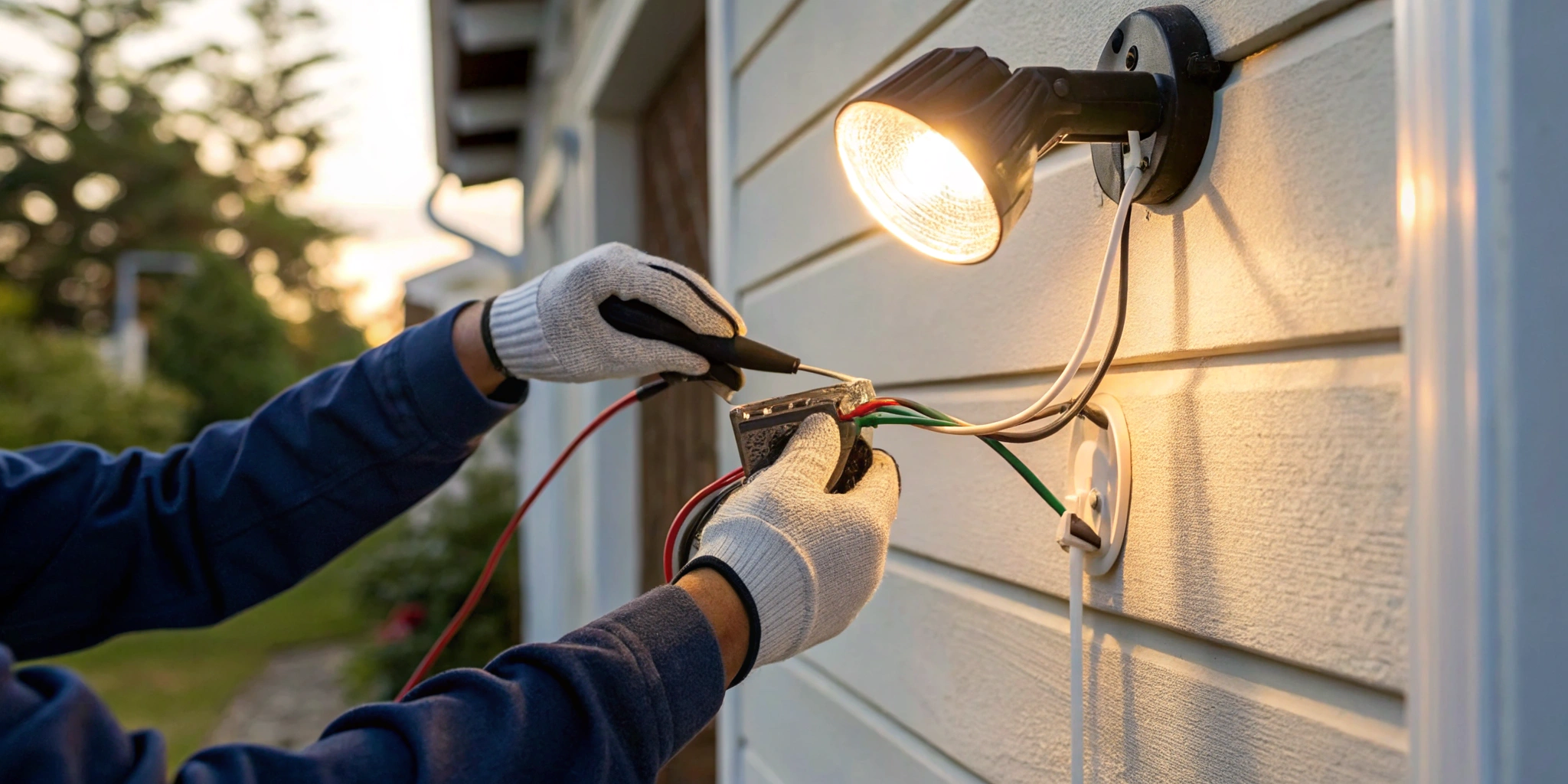
True home security is built in layers. A motion sensor light is a simple, powerful first line of defense, but its effectiveness depends on… well, power. When a storm knocks out the grid, your security shouldn’t go dark with it. A residential standby generator ensures your lights and cameras always stay on, giving you real peace of mind. This guide is your next step. We’ll walk through exactly how to wire a sensor light, covering the basic motion sensor connection and even how to add one to an existing fixture.
Key Takeaways
- Confirm the Power is Off—Twice: Always start by shutting off the power at the breaker box. Then, use a voltage tester on the wires themselves to be absolutely certain it’s safe to work. This is the most critical step for any electrical project.
- Follow the Correct Wiring Sequence: For a safe and functional connection, wire in this order: ground to ground (green/copper), the wall’s black “hot” wire to the sensor’s black wire, and the sensor’s red “load” wire to the light’s black wire.
- Adjust Settings for Reliable Detection: Once installed, test and calibrate your sensor. Aim it away from busy streets or swaying trees, and adjust the range, sensitivity, and duration settings to ensure the light only turns on when you need it to.
Why Install a Motion Sensor Light?
Energy and Cost Savings
Beyond the obvious security advantages, one of the most satisfying perks of installing a motion sensor light is the impact it has on your wallet. We’ve all had that moment of realizing an outdoor light was left on all night, needlessly burning electricity. Motion sensors eliminate that human error, ensuring power is only used when someone is actually there. According to the U.S. Department of Energy, using smart lighting strategies like sensors can be a key part of reducing your home’s energy use. This isn’t just about trimming your monthly utility bill; it’s about creating a more efficient home. When your home uses less energy, your entire system becomes more resilient, especially when you’re relying on a Generac generator during an outage. It’s a simple, smart upgrade that contributes to both your financial well-being and your overall peace of mind.
What You’ll Need to Wire Your Sensor Light
Before you start any electrical project, a little preparation goes a long way. Getting all your tools and materials in one place first means you won’t be scrambling mid-task. It’s not just about convenience; it’s about working safely and efficiently. Think of it as your pre-flight check. A few minutes of organizing now will make the entire process of wiring your motion sensor light much smoother. Let’s walk through exactly what you’ll need to have on hand.
Essential Electrical Tools for the Job
You don’t need a professional-grade workshop, but a few key tools are non-negotiable for this job. Make sure you have a good set of wire strippers to cleanly remove insulation without damaging the wire. You’ll also need a screwdriver (both Phillips and flat-head are good to have) for securing the fixture and sensor. For safety, a voltage tester is absolutely essential to confirm the power is off. Finally, grab some wire nuts and electrical tape to create secure, insulated connections. And of course, you’ll need your new light fixture and the mounting hardware that came with it.
Choosing the Right Sensor and Components
Now for the main event: the motion sensor and light. Your motion detector setup has three core parts. First is the power source, which comes from the existing wiring in your home. Second is the motion detector itself, which acts as the switch that tells the light when to turn on. And third is the light fixture that will illuminate the space. When you purchase your motion sensor switch, make sure it’s compatible with the type of light bulb you plan to use, whether it’s an LED, CFL, or incandescent bulb. Reading the packaging carefully will save you a headache later.
Product Selection for Your Space
Not all motion sensors are created equal, so it’s important to match the product to its purpose. Think about where you’re installing the light. A sensor for a small indoor hallway has different needs than one for a wide-open backyard. When you purchase your motion sensor switch, make sure it’s compatible with the type of light bulb you plan to use, whether it’s an LED, CFL, or incandescent bulb. Reading the packaging carefully will save you a headache later. Also, consider the sensor’s detection angle and range to ensure it covers the area you want to monitor without being triggered by passing cars or pedestrians. Getting the right hardware from the start is a key part of any successful residential electrical project.
Considering Non-Wired Alternatives
If you’re not comfortable working with electrical wires, you don’t have to abandon the project. You can choose an outdoor lamp with a motion sensor that runs on batteries. These are incredibly easy to install and are a great option for renters or for spots where running new wiring would be a major hassle. The best battery-powered option, though usually more expensive, is a lamp that has a battery charged by the sun during the day. While these alternatives offer convenience, a hardwired solution provides the most reliable, long-term performance. If you decide a wired installation is best but prefer a professional touch, our team is always here to help with electrical repairs and installations.
Optional Gear for an Easier Install
A couple of extra items can make this installation even simpler and safer. While a voltage tester is on our “must-have” list, it’s worth mentioning again because it’s that important for your safety. Always double-check that the power is off before touching any wires. If you open the electrical box and find a web of confusing wires, or if you feel even slightly unsure about the process, that’s your cue to pause. There is absolutely no shame in calling for backup. A professional electrician can handle the job safely and ensure everything is up to code.
Safety First: Your Pre-Wiring Checklist
Before you touch a single wire, let’s talk about the most important part of any electrical project: safety. Getting this part right isn’t just a good idea—it’s essential. Working with electricity can be dangerous, but by following a few straightforward steps, you can protect yourself and your home. This checklist isn’t about creating extra work; it’s about creating a safe environment so you can tackle your project with confidence. Think of it as your pre-flight check before takeoff. From cutting the power to knowing the local rules, each step is a critical layer of protection. If at any point you feel unsure about what you’re doing, it’s always the right call to pause and contact a professional for electrician repairs. Your safety is always the top priority.
Always Start by Cutting the Power
First things first: you must turn off the power to the area where you’ll be working. Head to your home’s main electrical panel, often called a breaker box, and find the circuit breaker that controls the light switch you’re replacing. Flip it to the “Off” position. To make sure no one accidentally turns it back on while you’re working, it’s a great habit to place a piece of tape over the switch as a clear warning. This simple action is the most important step you can take to prevent electric shock and is absolutely non-negotiable for any DIY electrical work.
Use a Voltage Tester to Be Sure
Once you’ve flipped the breaker, you need to confirm that the power is truly off. Don’t just take the breaker’s word for it. This is where a voltage tester comes in. This handy tool is designed to detect the presence of an electrical current in wires. Carefully touch the probes of the tester to the wires inside the electrical box you’ll be working on. The tester will light up or beep if there’s still power. If it stays silent, you’ve confirmed the circuit is dead and it’s safe to proceed. This “trust but verify” step only takes a few seconds and gives you complete peace of mind.
Don’t Forget Your Safety Gear
Protecting yourself goes beyond just managing the electricity. Always wear the right personal protective equipment (PPE). At a minimum, this includes safety glasses to shield your eyes from any debris or sparks and a pair of insulated gloves for an extra layer of protection. It’s also smart to wear sturdy, closed-toe shoes. More than anything, the best safety gear is your own judgment. If a project feels too complex or you’re not 100% confident, that’s your cue to call in a professional. Our team is always ready to help with any residential electric needs, ensuring the job is done safely and correctly.
A Quick Word on Local Electrical Codes
Did you know that electrical work is often governed by local regulations? Before you start, it’s a good idea to check the electrical codes for your specific area, whether you’re in Chester, Montgomery, Bucks, or Delaware County. These codes are in place to ensure all electrical installations are safe and meet established standards. A quick search on your local municipality’s website or a call to the building department can provide the information you need. Following these guidelines ensures your work is not only safe for your family but also compliant, which is important for home inspections and insurance purposes.
Getting to Know Your Wires
Before you connect anything, you need to understand what you’re working with. Correctly identifying and preparing your wires is the foundation for a safe and successful installation. Taking a few extra minutes here can prevent major headaches later. If you open your electrical box and the wiring looks like a tangled mess that doesn’t match what we describe, it’s a good time to pause and call for professional electrician repairs. An expert can safely sort out complex or outdated wiring for you.
Decoding the Wire Colors
Think of wire colors as a code that tells you each wire’s job. In most standard home wiring, you’ll find three main wires. The black wire is the “hot” wire carrying current from the power source. The white wire is the “neutral” wire, which completes the circuit. Finally, the bare copper (or green) wire is the “ground” wire, a crucial safety feature that protects against shocks. Your new motion sensor will also have black and white wires, plus a red wire. This red wire is the “load” wire that sends power to the light when motion is detected.
Handling Alternative Wire Colors
Sometimes, you’ll open an electrical box and find a different set of colors than the standard black and white. This is especially common in older homes or with certain types of fixtures. Don’t panic. Other color codes are used, particularly brown for the hot wire and blue for the neutral wire. The key is to identify the function of each wire, not just its color. The brown wire typically serves the same purpose as the black (hot) wire, while the blue wire acts as the neutral, similar to the white wire. The ground wire will almost always be green, yellow/green, or bare copper. If you encounter an unfamiliar color scheme and aren’t completely sure which wire is which, it’s critical to stop. Guessing can be dangerous, and this is the perfect time to get some professional electrical help. An expert can safely identify the wires and ensure your new light is installed correctly.
How to Strip Wires Like a Pro
To make a secure connection, you’ll need to expose a small amount of the metal wire under the plastic insulation. The best tool for this is a pair of wire strippers. Gently clamp the tool about a half-inch from the end of the wire and pull the insulation off. The goal is a clean strip without nicking or cutting the copper wire underneath. Damaged wires can create weak points that can overheat, so it’s worth taking your time to get it right. Using the proper tool makes this step simple and safe, so please don’t be tempted to use a knife or a pair of scissors.
Understanding Your Sensor’s Wiring Diagram
While the color-coding is fairly standard, you should always treat the manufacturer’s wiring diagram as your ultimate source of truth. Every motion sensor is slightly different, and the booklet that came in the box is your specific guide for a successful installation. It will show you exactly which wire from the sensor connects to which wire in your wall. If the diagram feels more confusing than helpful, that’s a valid reason to stop. For any residential electrical work you’re not 100% confident about, bringing in a professional is always the smartest move.
A Step-by-Step Guide to Wiring Your Motion Sensor
Ready to get started? Wiring a motion sensor is a straightforward process when you follow the steps in the right order. We’ll walk through each connection, one by one, to make sure everything is hooked up safely and correctly. Remember, the key is to work methodically and double-check your connections as you go. While this is a manageable project for many homeowners, never hesitate to call in a professional if you feel unsure at any point. Your safety is always the top priority, and a licensed electrician can handle the job quickly and ensure it’s up to code. With your power off and your tools ready, let’s connect those wires.
Step 1: Connect the Ground Wire
Safety first, always. The very first wire you should connect is the ground wire. This is your system’s primary safety feature. You can typically identify the ground wire as the bare copper or green-coated wire in your electrical box. Your motion sensor will have a corresponding green wire. Twist the ends of these two wires together and secure them with a wire nut. The ground wire provides a safe path for electrical current to travel in case of a short circuit, which helps prevent dangerous electrical shocks. Taking a moment to understand basic electrical safety before you begin is always a smart move.
Step 2: Connect the Neutral Wires
With the ground wire secure, your next step is to connect the neutral wires. These are usually the white-coated wires, and their job is to complete the electrical circuit, giving the current a safe path back to the source. Take the white wire from your motion sensor and the white wire coming from the wall’s electrical box. Twist their exposed copper ends together firmly and cap them off with a wire nut, making sure the connection is snug. This connection is vital for your light to function correctly. If your home’s wiring doesn’t match this standard color code, or if you feel any uncertainty, it’s always best to pause. Professional electrician repairs can sort out any confusing wiring and ensure the job is done right, giving you total confidence in your new setup.
Step 2: Make the Hot (Line) Connection
Now it’s time to give your sensor some power. The “hot” or “line” wire is what brings electricity from your breaker panel to the switch box. In standard home wiring, this is almost always the black wire. You’ll need to connect the black wire coming from the wall to the black wire on your motion sensor. This connection is what powers the sensor’s internal components, allowing it to detect motion and operate correctly. Make sure you have a solid connection, twisting the copper ends together clockwise before capping them with a wire nut. This ensures a steady flow of power to the unit.
Step 3: Attach the Load Wire to the Light
With the sensor powered up, the next step is to connect it to the light fixture it will control. This is done using the “load” wire. On most motion sensors, the load wire is red. You will connect this red wire from the sensor to the remaining black wire in the electrical box—the one that runs directly to your light. This connection is what allows the sensor to act as a switch, sending power to the light fixture whenever it detects movement. It’s helpful to understand the role of different wire colors to keep your connections straight and avoid any mix-ups.
Step 4: Check and Secure All Connections
You’re on the home stretch! The final wiring step is to make sure every connection is rock-solid. Use wire nuts to cap each pair of twisted wires (ground, hot, and load). Twist the nut on until it’s snug and you can’t turn it anymore by hand. A loose connection can be a serious fire hazard due to arcing, and it can also cause your light to flicker or not work at all. Once the nut is tight, give each wire a gentle tug to confirm it’s securely held in place. Learning how to properly use wire nuts is a fundamental skill for any electrical project.
Positioning Your Sensor for the Best Coverage
Getting the wiring right is a huge accomplishment, but your work isn’t quite done. Where you place and aim your motion sensor is just as important as connecting the wires correctly. The goal is to get reliable detection exactly where you need it without having the light flick on every time a car drives down the street. Proper mounting ensures your sensor is secure, weatherproof, and positioned for peak performance, giving you security and convenience you can count on.
Finding the Perfect Installation Spot
Think about the main reason you’re installing this light. Do you want it to illuminate the path from your car to the front door? Or are you hoping to deter unwanted visitors from your backyard? Walk the area and look for a spot that gives the sensor a clear, unobstructed view of the zone you want to monitor. Most manufacturers recommend mounting the sensor between 6 and 10 feet off the ground. This height provides a good vantage point, allowing the sensor to detect motion across a wide area while minimizing interference from pets or small animals on the ground. It’s a key part of any thoughtful residential electric plan for your home’s exterior.
Ideal Locations for Indoor Motion Sensors
Inside your home, motion sensors are all about convenience and saving energy. Think about the places where your hands are often full or where lights are frequently left on by mistake. Hallways are a prime spot, lighting your way at night without you having to fumble for a switch. Laundry rooms, pantries, and walk-in closets are also perfect candidates; you can walk in with an armful of clothes or groceries and have the light turn on automatically. Bathrooms are another great choice, especially for kids who might forget to turn the light off. Placing sensors in these high-traffic, transitional spaces makes your home feel more intuitive and can help trim down your energy bill over time.
Special Considerations for Outdoor Installation
Outdoor motion sensors are a cornerstone of home security. To get the most out of them, placement is everything. You want the sensor to detect movement across its field of view, not directly toward it. For example, position it so it covers the path someone would walk along your driveway or past your back patio. Aim it away from busy streets or swaying tree branches to avoid false alarms. When running wires outside, always use waterproof cables and drill the entry hole through your wall at a slight downward angle from inside to out to prevent rainwater from seeping in. A well-placed sensor not only deters potential intruders but also provides a welcoming light when you arrive home after dark, making it a crucial part of your home’s overall security strategy.
How to Securely Mount the Sensor
With your location picked, it’s time to mount the fixture. Gently tuck all the connected wires back into the electrical box, making sure not to bend or strain any of the connections you just made. Place the fixture’s gasket over the box—this is a critical step for creating a weatherproof seal that protects the wiring from rain and moisture. Align the mounting holes on your light fixture with the holes on the electrical box and secure it firmly with the provided screws. The fixture should feel solid and snug against the wall. If the box itself feels wobbly, you may need professional electrician repairs to secure it before proceeding.
Avoid These Common Placement Mistakes
A few common mistakes can lead to a frustrating experience with your new light. First, avoid aiming the sensor directly at a busy street, a neighbor’s property, or even a swaying tree branch, as these can all cause false triggers. Also, keep it away from heat sources like dryer vents or air conditioning units, which can activate the sensor. Once mounted, you can adjust the angle of the sensor and the lights themselves to get the perfect coverage. And remember, your motion sensor light is a fantastic security feature, but it relies on consistent power. During an outage, it can’t do its job unless you have a reliable backup like a Generac generator to keep your home’s security systems running.
Testing and Fine-Tuning Your Motion Sensor
Okay, the wiring is done and everything is securely in place. Now for the fun part: bringing your new motion sensor to life and making sure it works exactly how you want it to. This final phase is all about testing and tweaking. Taking a few minutes to properly calibrate the settings will make all the difference, ensuring your light turns on when you need it and stays off when you don’t. It’s how you get that perfect, hands-free lighting experience you were aiming for. Let’s walk through how to get it just right.
Flipping the Switch: The First Test
With your tools set aside and the cover plate on, head back to your breaker box and flip the circuit back on. Your motion sensor light should now have power. Most sensors have a “Test” mode, which is exactly what you need right now. This setting shortens the delay time, allowing you to quickly see if the sensor is working. Walk in and out of the sensor’s range to confirm it detects your movement and triggers the light. This initial check ensures your wiring is correct before you move on to fine-tuning. If the light doesn’t turn on at all, immediately cut the power again and double-check your connections or get help with common residential electric issues.
Adjusting Sensitivity and Detection Range
If your initial test was a success, it’s time to dial in the specifics. You don’t want the light flicking on every time a car drives by or a squirrel scampers across the yard. Start by adjusting the sensor head itself; you can usually tilt it up or down to aim the detection zone. Next, look for a “Range” or “Sensitivity” dial. This lets you control how far the sensor can “see.” It might take a little trial and error. Walk around the area at different distances to find the sweet spot where it picks up your movement but ignores background activity. This is key to preventing annoying false alarms.
Setting the Timer and Solving Common Issues
The last major setting to adjust is how long the light stays on after it stops detecting motion. This is often called the “Timeout” or “Duration” setting, with options typically ranging from one to 30 minutes. Choose a duration that makes sense for your space—longer for a walkway you use to carry in groceries, shorter for a quick trip to the garage. If you find the light is still too sensitive and triggering too often, here’s a simple trick: place a small piece of electrical tape over part of the sensor lens to narrow its field of view. If you’ve tried these adjustments and something still feels off, don’t hesitate to call for professional electrician repairs.
Common Wiring Mistakes to Avoid
Even the most straightforward electrical projects have a few common trip-ups. Knowing what they are ahead of time can save you a lot of frustration and ensure your new motion sensor light works perfectly from the get-go. Let’s walk through a few key mistakes to sidestep so your installation is safe, secure, and successful.
Mistake 1: Loose or Incorrect Connections
This is one of the most critical steps to get right. A wire that isn’t properly secured can come loose over time, creating a serious risk of electrical shorts or even a fire. After you twist the wires together, always secure them with a wire nut. For extra peace of mind, give the connection a gentle tug to make sure it’s snug, then wrap the nut and wires with electrical tape. This simple two-step process ensures a solid, safe connection that will last. If you ever find flickering lights or other issues, loose wiring could be the culprit, often requiring professional electrician repairs.
Mistake 2: Skipping the Instructions
I get it—it’s tempting to toss the little paper booklet aside and just get started. But please, don’t skip this step! Every motion sensor is slightly different, and the manufacturer’s guide is your specific road map for a successful installation. It contains the exact wiring diagram and steps for your model. Following it ensures you’re setting everything up for proper function and safety. Think of it as the golden rule of any DIY project; what works for one brand might not work for another. Taking five minutes to read the instructions can save you hours of troubleshooting later.
Mistake 3: Using the Wrong Tools
Using a kitchen knife to strip a wire or the wrong screwdriver can damage the components and create an unsafe connection. Having the right tools not only makes the job easier but also much safer. Before you start, gather your essentials: a voltage tester, wire cutters or strippers, a screwdriver that fits the screws, and wire nuts. Most new switches come with wire nuts, but it’s always good to have extras. Using the proper equipment is a hallmark of any quality residential electric project, and it’s a non-negotiable for DIY safety and success.
When Should You Call a Professional Electrician?
While tackling a DIY project like this is rewarding, your judgment is the most important tool you have. Electrical work isn’t the place for guesswork, and knowing when to call a professional is a sign of a smart homeowner. Safety is always the top priority. A project that seems straightforward can reveal unexpected complexities once you open the wall. If you feel uncertain at any point, it’s always the right move to get an expert opinion to ensure the job is done right and your home’s electrical system is sound.
If Your Wiring Looks Complicated
You might open the electrical box and find the wiring doesn’t match the diagrams. This is common in older homes, where electrical standards have changed or previous DIY work isn’t up to code. If you see unexpected wire colors, aluminum wiring, or a setup that just doesn’t make sense, it’s time to stop. If you feel unsure or uncomfortable at any point, it’s best to call a licensed electrician. They have the experience to trace circuits and ensure your new sensor is installed correctly without compromising your home’s residential electrical system.
If You’re Unsure About Electrical Codes
Local electrical codes exist to keep you safe. These regulations ensure all electrical work is performed to a high standard, reducing the risk of fire and shock. If you aren’t familiar with the codes in your area, it’s easy to make a mistake that could cause issues during a future home inspection. A qualified electrician is well-versed in these requirements and guarantees your installation is fully compliant. If you are not comfortable meeting these precise standards, it’s always best to hire a professional for any electrician repairs.
Warning Signs That It’s Time to Call a Pro
There are a few clear red flags that signal it’s time to put down the tools and pick up the phone. If you open the wall box and discover there’s no neutral wire, your sensor may not be compatible without additional wiring. You should also double-check all wire connections to make sure they are firm and correct before turning the power back on. If you notice irregularities like brittle or frayed wires, or if you’re simply unsure about making the right connections, it’s a clear sign to consult a professional. Don’t risk it—an expert can diagnose and fix the issue safely.
Related Articles
- The Ultimate Guide to Motion Sensor Light Installation
- How to Add a Motion Sensor to Existing Outdoor Lights
Frequently Asked Questions
What should I do if the wire colors in my wall don’t match the ones in your guide? If you open your electrical box and find a different color scheme, or perhaps wires that are all the same color, that’s your cue to stop the project. This is common in older homes with outdated wiring. Guessing which wire does what is extremely dangerous. For your safety, this is the perfect time to call a professional electrician who can safely identify the wires and complete the installation for you.
My new motion light keeps turning on for no reason. How can I fix this? This is a classic case of the sensor being a little too sensitive for its environment. The most common culprits are passing cars, swaying tree branches, or even heat from a nearby dryer vent. Try slightly adjusting the angle of the sensor head downward or away from the street. You can also use the “Sensitivity” or “Range” dial on the unit to reduce how far it “sees,” which often solves the problem.
Can you quickly explain the difference between the black, white, and red wires on the sensor? Absolutely. Think of it this way: the black wire is the “power in,” bringing electricity from your house to the sensor. The white wire is the neutral, which completes the electrical circuit. The red wire is the “power out,” which is what sends electricity to the light bulb itself when the sensor detects motion. Getting these three connections right is the key to a successful installation.
The light doesn’t turn on at all after I’ve wired everything. What did I do wrong? Before you get frustrated, start with the simplest solutions. First, double-check that you flipped the circuit breaker back on and that the light bulb itself is working. If those aren’t the issue, turn the power off again at the breaker and carefully re-examine your wire connections. A loose wire nut is often the cause. Make sure each connection is tight and secure. If you’ve checked everything and it’s still not working, it’s best to have an expert take a look.
Can I install a motion sensor on any outdoor light fixture? While you can buy standalone sensors, it’s usually much simpler to purchase an integrated fixture where the light and sensor are already designed to work together. If you want to add a sensor to an existing light, you need to make sure the sensor is compatible with the fixture and the type of bulb you’re using, especially if it’s an LED. The product packaging for the sensor will have all the compatibility information you need.