Your lights can do more than just turn on and off. A lot more. With smart LED lighting, they become an active part of your home’s comfort, security, and efficiency. You can schedule them to wake you up gently, have them turn off automatically when you leave, or create the perfect movie night vibe with a simple voice command. This isn’t some futuristic fantasy; it’s a practical upgrade that simplifies your daily routine and saves you money on energy bills. We’ll cover everything from choosing the right system to the process for a smart LED lighting installation for homes, so you get all the benefits without the headache.
Key Takeaways
- Match the features to your lifestyle: Focus on what will genuinely make your life easier, whether it’s voice control for when your hands are full or scheduling for added security. Starting with a single room is a great way to test the technology without a big commitment.
- Decide between a hub or direct Wi-Fi: Wi-Fi-connected bulbs offer a simple, plug-and-play setup perfect for beginners. For a more robust, whole-home system, a central hub provides a dedicated and highly reliable network for your lights.
- Prioritize safety for any wired installation: While swapping bulbs is an easy DIY task, installing smart switches or dimmers involves working with your home’s wiring. Always hire a licensed electrician for these jobs to ensure everything is safe and up to code.
Is Smart LED Lighting Actually Worth It?
You’ve probably seen smart lights in action, changing colors and dimming with a simple voice command. It looks cool, but is it a practical upgrade for your home? The short answer is yes. While there’s an initial cost to get started, smart lighting is a solid investment that pays off in convenience, energy savings, and even home security.
Think about your daily routine. With smart lighting, you can schedule your lights to turn on just before you get home from work or dim automatically as you wind down for the evening. You can control your home’s lighting from an app on your phone, whether you’re on the couch or on vacation. This level of control isn’t just a neat party trick; it simplifies your life and can be especially helpful for anyone with limited mobility.
Beyond convenience, smart LEDs are incredibly energy-efficient. They use significantly less power than traditional incandescent bulbs, and features like scheduling and remote access mean you’ll never accidentally leave the lights on all day again. Over time, this improved energy management can lead to noticeable savings on your electricity bills. Plus, these systems can enhance your home’s security by making it look occupied when you’re away. For many homeowners, the combination of daily convenience and long-term savings makes smart lighting a truly worthwhile upgrade.
Top Smart LED Brands Compared
Once you decide to add smart lighting to your home, the next big question is which brand to choose. The market is full of great options, but they aren’t all created equal. Your ideal system depends on your budget, how you want to control your lights, and whether you’re starting from scratch or adding to an existing smart home setup. Let’s walk through some of the most popular and reliable brands to help you find the perfect fit for your home.
Philips Hue: The All-in-One Premium System
Philips Hue is often seen as the gold standard in smart lighting, and for good reason. It’s known for its exceptional reliability and seamless performance, making it a top pick for smart home enthusiasts. The system requires a central hub, the Hue Bridge, which connects to your router. While this is an extra step, it creates a dedicated and incredibly stable network for your lights, so they respond instantly without slowing down your Wi-Fi. Hue offers a massive range of bulbs, fixtures, and accessories with rich, accurate colors. It also integrates with nearly every smart home platform out there, giving you ultimate control.
Understanding Lifespan and Reliability
While the initial price of a smart bulb is higher than a standard LED, it’s helpful to think of it as a long-term investment. These bulbs are built to last, with many brands rated for up to 25,000 hours of use—that can translate to over a decade of not having to change a bulb. Premium systems like Philips Hue are particularly known for their durability, with some users reporting their lights have worked perfectly for more than seven years. This impressive longevity, combined with their energy-saving features, means the higher upfront cost often pays for itself. You’re not just getting fun features; you’re getting a reliable, efficient lighting system that becomes a dependable part of your home.
LIFX: Get Vibrant, Hub-Free Color
If you want stunningly bright, vibrant colors without the need for an extra hub, LIFX is a fantastic choice. Each bulb connects directly to your Wi-Fi network, which simplifies the setup process considerably. LIFX bulbs are famous for their brightness and rich color saturation, making them perfect for areas where you want lighting to make a statement. Many of their products, like the LIFX Color BR30 bulb, are also rated for outdoor use, giving you the flexibility to extend your smart lighting to patios and porches. They work smoothly with major voice assistants like Alexa, Google Home, and Apple Siri, so you can easily control them with simple commands.
Wiz: Smart Lighting on a Budget
For those looking to get into smart lighting without a big initial investment, Wiz is an excellent starting point. Owned by the same company as Philips Hue, Wiz offers a more budget-friendly and straightforward approach. Like LIFX, Wiz bulbs connect directly to your Wi-Fi, so you don’t need to worry about a hub. The setup is simple through their user-friendly app, and you still get access to an impressive 16 million color options. Wiz provides a reliable and versatile system that’s compatible with all the major voice assistants, making it a smart and affordable way to add color and convenience to any room in your house.
Top Pick Spotlight: The WiZ 60W Bulb
When it comes to smart lighting on a budget, the WiZ 60W A19 Color LED Smart Bulb is an exceptional choice. This bulb is incredibly easy to set up, making it perfect for anyone new to smart home technology because it connects directly to your Wi-Fi—no separate hub required. As a review from The New York Times points out, “It’s affordable, easy to set up, and shines light well.” This simplicity allows you to start with just one bulb in a lamp or fixture, giving you a low-commitment way to try out smart lighting and see how it fits into your life.
The real fun begins once you’re connected through the user-friendly WiZ app. You get access to an impressive array of 16 million color options and various pre-set lighting moods, making it easy to create the perfect ambiance for any occasion. The WiZ 60W bulb is also compatible with major voice assistants, allowing for seamless control with simple voice commands. This level of convenience not only enhances your daily routine but also contributes to energy efficiency, as you can easily schedule your lights to turn off when they’re not in use, helping you save on your energy bills over time.
TP-Link Kasa: Your Go-To for Reliability
TP-Link has a strong reputation for making reliable networking gear, and their Kasa line of smart home products lives up to that standard. Kasa smart bulbs are praised for their consistent performance and excellent dimming capabilities, providing smooth light levels without any flickering. The Kasa app is another highlight—it’s clean, intuitive, and packed with useful features like scheduling, timers, and energy monitoring. While they may not have the same extensive product range as Philips Hue, Kasa offers a solid, dependable system that’s easy to manage. For anyone who values straightforward reliability, TP-Link Kasa is a great choice.
Sengled: Affordable Color for Every Room
Sengled is another top contender in the budget-friendly smart lighting space, offering a wide variety of affordable bulbs that don’t skimp on features. Whether you need simple dimmable white bulbs or full-color options, Sengled has a low-cost solution. Their setup process is typically very simple, and they offer bulbs that work over Wi-Fi, Bluetooth, and Zigbee, giving you flexibility depending on your needs and whether you have a smart hub like Amazon Echo or SmartThings. If you want to experiment with smart lighting in multiple rooms or are looking for the most affordable way to add multicolor bulbs to your home, Sengled is definitely a brand to consider.
Govee and Lepro: Dynamic Color and Outdoor Options
If you’re looking for lighting that does more than just illuminate a room, Govee and Lepro are brands that specialize in creating dynamic experiences. They are known for feature-rich products like LED light strips and wall panels that can produce flowing, multi-color effects. This makes them a popular choice for creating accent lighting behind a TV or setting a specific mood in a game room. One of their most innovative offerings is their line of permanent outdoor lighting, designed to be installed once along your roofline for year-round holiday displays or architectural highlighting. It’s a brilliant solution for anyone who loves festive lighting but dreads the annual setup and takedown.
Yeelight: Ideal for Gaming and Media Syncing
For those who want to create a truly immersive entertainment setup, Yeelight is a brand that stands out. Their specialty is lighting that syncs with your on-screen content, whether you’re gaming or watching a movie. The lights can dynamically change color to match the action, pulling you deeper into the experience. This focus on innovation is backed by a strong commitment to the customer, with policies like lifetime support that show confidence in their products. If your goal is to build a high-tech media room or a gaming station that feels futuristic and responsive, Yeelight offers the specialized technology to make it happen.
Linkind: The Ultra-Budget-Friendly Choice
Getting started with smart lighting doesn’t have to be a major expense, and Linkind is proof of that. This brand has carved out a niche by offering incredibly affordable options, with some bulbs costing less than a fancy cup of coffee. Despite the low price point, they don’t sacrifice quality where it counts. Linkind bulbs often feature a high color-rendering index (CRI), which means they display colors accurately and make your home environment look natural and vibrant. For anyone who wants to experiment with smart lighting in a few rooms or is looking to outfit their entire home on a budget, Linkind provides a reliable and accessible entry point.
Lutron: The Gold Standard for Smart Switches
While smart bulbs are fantastic, sometimes a smart switch is a better solution, and Lutron is the undisputed leader in this category. Known for being exceptionally reliable, Lutron’s smart switches and dimmers replace your existing wall switches, giving you smart control over entire light fixtures. A key advantage is that many of their models don’t require a neutral wire, which is a common hurdle when upgrading lighting in older homes. This makes them a versatile and dependable choice for bringing smart control to fixtures with multiple bulbs, like chandeliers or kitchen ceiling lights, without having to replace every single bulb individually.
Why Smart Switches Can Be a Better Choice
A common frustration with smart bulbs is that they stop working the moment someone flips the physical light switch off. Smart switches solve this problem entirely. Because the “smart” technology is in the switch itself, you get the best of both worlds: you can control the lights from your phone, with your voice, or with the familiar wall switch. This is especially practical for rooms with many lights on a single circuit, such as recessed lighting in a living room. Installing one smart switch is often more efficient and cost-effective than buying half a dozen smart bulbs for the same area, providing a cleaner and more intuitive user experience for everyone in the household.
Installation Note: Neutral Wire Requirements
While swapping out a lightbulb is a simple task anyone can do, installing a smart switch is a different story. This type of upgrade involves working directly with your home’s electrical wiring. For your safety and to ensure the installation is done correctly and meets all local codes, this is a job best left to a professional. A licensed electrician can determine if your wiring is compatible, handle any challenges like the absence of a neutral wire, and guarantee that everything is installed securely. If you’re considering upgrading to smart switches, connecting with a trusted provider for professional electrical services is the safest and most reliable path forward.
Which Smart Lighting Features Matter Most?
Once you’ve decided to bring smart lighting into your home, the next step is figuring out which system is right for you. With so many options on the market, it’s easy to feel a little overwhelmed. The key is to look past the flashy packaging and focus on the features that will actually make a difference in your daily life. From how the bulbs connect to your network to how they work with your other smart devices, understanding these core components will help you build a system that’s reliable, easy to use, and perfectly suited to your home.
Wi-Fi, Zigbee, or Z-Wave: Which Connection is Best?
How your smart lights communicate is the foundation of your entire system. The most common options are Wi-Fi, Zigbee, and Z-Wave. Wi-Fi bulbs connect directly to your home’s router, which makes for a simple setup. However, if you plan on adding many smart devices, they can start to crowd your network. Zigbee and Z-Wave devices, like the popular Philips Hue line, use a central hub to create their own dedicated network. This keeps your Wi-Fi free and often results in a more stable and responsive system, especially in larger homes. There are also Bluetooth options that work without Wi-Fi, but their range is typically limited to a single room.
Wi-Fi Network Requirements: 2.4 GHz vs. 5 GHz
Here’s a small but important technical detail: most smart lighting systems require a 2.4 GHz Wi-Fi network to function properly. Your home router likely broadcasts both a 2.4 GHz and a 5 GHz band. While the 5 GHz band is faster, the 2.4 GHz band is the long-distance champion—its signal travels farther and is much better at getting through walls and floors. For smart devices scattered throughout your home, this extended range is essential for a stable and reliable connection. When you’re setting up your lights, just make sure your phone is connected to the 2.4 GHz network to ensure a smooth installation process. This simple step helps you ensure compatibility and avoid frustrating connection issues down the road.
The Future is Here: Understanding the Matter Protocol
You may start seeing a new logo on smart home packaging for something called Matter. Think of it as a universal translator for your smart devices. In the past, you had to check carefully to see if a new smart bulb would work with your Amazon Alexa, Google Home, or Apple HomeKit. Matter is a new, unified standard designed to make all of those compatibility headaches disappear. Devices that are Matter-certified can connect to almost any smart home system, giving you the freedom to mix and match brands without worry. This makes building out your smart home simpler, more flexible, and often more affordable, since you aren’t locked into one company’s products.
Does It Work With Your Smart Home?
The real magic of smart lighting happens when it works seamlessly with the rest of your smart home. Before you buy, check if the lights are compatible with your preferred voice assistant, whether it’s Amazon Alexa, Google Assistant, or Apple HomeKit. If you’re already using a platform like Google Home, choosing lights that natively support it will allow for effortless control. This integration lets you do more than just turn lights on and off with your voice; you can group them with other devices to create routines, like a “Good Morning” scene that slowly brightens your lights and starts your coffee maker at the same time.
Beyond the Switch: App Control and Automation
A good smart lighting system gives you total control right from your phone. The companion app is your command center for setting schedules, dimming the lights for movie night, or changing colors to match your mood. But the best systems go a step further with automation. You can set your lights to turn on automatically when you arrive home or turn off when you leave. For even more adaptive lighting, you can integrate smart sensors that trigger lights to turn on when you walk into a room. These features not only add convenience but can also enhance your home’s security by making it look occupied when you’re away.
Manufacturer Apps vs. Smart Home Hubs
When you’re setting up your smart lighting, you’ll have two main control options: using the manufacturer’s dedicated app for each bulb or integrating everything into a central smart home hub. App-based systems, like those from LIFX or Kasa, are incredibly straightforward. Each bulb connects directly to your Wi-Fi, and you manage everything from your phone. This is perfect if you’re starting with just a few lights in one or two rooms. However, a dedicated smart home hub, like the one used for Philips Hue, creates a separate, more stable network for all your devices. This approach prevents your Wi-Fi from getting bogged down and often leads to a faster, more reliable system, especially as you expand your smart home setup.
Syncing Lights with Music, Movies, and Games
One of the most exciting features of modern smart lighting is its ability to create truly immersive entertainment experiences. Systems like Philips Hue and Nanoleaf can sync with what you’re watching, playing, or listening to, changing colors and brightness in real-time to match the action on the screen or the beat of the music. Imagine your living room lights flashing and changing color during an intense movie scene or pulsing along to your favorite playlist. This dynamic lighting turns a regular movie night or gaming session into a captivating event. While setup can sometimes require extra hardware, like a sync box, the result is a level of home entertainment integration that makes your space feel more alive and engaging.
What to Look for in Brightness, Color, and Efficiency
Beyond the smart features, you still need your lights to be, well, good lights. Pay attention to brightness, measured in lumens, to ensure you’re getting the right amount of light for each space. You’ll also want to decide between tunable white lights, which let you shift from a warm, cozy glow to a cool, energizing light, or full-color bulbs for endless creative possibilities. And of course, one of the biggest perks is energy efficiency. All smart bulbs use LED technology, which consumes far less power than traditional bulbs. When you add in scheduling and automation, you can cut down on energy waste even more. For any hardwired fixtures, a professional can ensure your residential electric system is set up safely and correctly.
A Guide to Brightness: Understanding Lumens
When you’re choosing a light bulb, it’s easy to get stuck on watts, but the real measure of brightness is lumens. Think of lumens as the total amount of visible light a bulb puts out—the higher the lumen count, the brighter the light. It’s important to pay attention to brightness to make sure you’re getting the right amount of light for each space. For example, a standard 60-watt incandescent bulb is equivalent to about 800 lumens, which is great for general room lighting. For a reading lamp or task lighting, you might want something a bit brighter, around 1100 lumens, while a large living room could require 1600 lumens or more. Smart bulbs give you the best of both worlds, offering high lumen outputs with the ability to dim down to a soft glow whenever you want.
Decoding Light Strips: RGB, RGBW, and RGBIC Explained
Flexible LED light strips are a fantastic way to add accent lighting behind a TV, under cabinets, or along stairways. But not all strips are the same. The most common types are RGB, RGBW, and RGBIC. Basic RGB strips mix red, green, and blue light to create a wide range of colors. RGBW strips are a step up, adding a dedicated white LED that produces a much cleaner, more natural white light. The most advanced option is RGBIC, which includes a special chip that allows you to display multiple colors on a single strip at the same time. This creates dynamic, flowing effects that are perfect for creating a fun, personalized atmosphere in any room.
Why Color Accuracy (CRI) Matters
Have you ever noticed how colors can look different under artificial light compared to natural daylight? That’s where the Color Rendering Index, or CRI, comes in. CRI is a scale from 0 to 100 that measures how accurately a light source reveals the true colors of objects. A higher CRI means better color accuracy. For most homes, a CRI of 80 or above is good, but for areas where color is critical—like in the kitchen where you’re checking if food is fresh, or in a bathroom where you’re applying makeup—you’ll want a CRI of 90 or higher. High-quality smart bulbs often have a high CRI, ensuring that your home’s decor and everything in it looks exactly as it should.
Check the Bulb Size: A19 vs. A21
Before you get too excited about all the smart features, there’s a simple but crucial step: make sure the bulb actually fits your lamp or fixture. The most common bulb shape is the A19, but some fixtures might need a slightly larger A21 bulb or a smaller candelabra-style bulb. Beyond the size, you also need to check compatibility for the location. Some smart bulbs aren’t designed for outdoor use or in damp places like bathrooms. It’s also important to see if a bulb is rated for enclosed fixtures, as some can overheat if they don’t have enough ventilation. A quick check of your existing bulb or fixture can save you the headache of a return trip.
More Than Just Bulbs: Types of Smart Lighting Products
When you think of smart lighting, the first thing that probably comes to mind is a standard light bulb you can control from your phone. While smart bulbs are the foundation of many systems, the world of smart lighting has expanded far beyond that. Today, you can find a whole range of creative products designed to add ambiance, functionality, and even a bit of artistry to your home. These solutions go beyond simple illumination, allowing you to paint with light, enhance your entertainment, and transform your outdoor spaces. From flexible light strips that can tuck into any corner to decorative panels that double as wall art, there’s a smart lighting product for nearly any vision you have for your home.
Smart Light Strips
Smart light strips are one of the most versatile tools in the smart lighting toolkit. These flexible, adhesive-backed strips of LEDs can be placed almost anywhere to add a layer of indirect, accent lighting. They’re perfect for running under kitchen cabinets to light up your countertops, placing behind your TV for a cinematic glow, or lining a bookshelf to highlight your favorite decor. Brands like Philips offer feature-rich strips with dynamic color-changing capabilities, allowing you to create custom scenes or even sync them with music. Their flexibility makes them a simple yet powerful way to add depth and personality to any room.
Decorative Light Panels
If you want your lighting to be a conversation starter, decorative light panels are the way to go. These are modular, often triangular or hexagonal, panels that you can arrange on your wall in any pattern you like. They function as both a light source and a piece of interactive art, with the ability to display millions of colors and create flowing, animated effects. Products like the GE Cync Dynamic Effects Smart Hexagon Panels can completely change the aesthetic of a room, providing customizable ambiance that can be as subtle or as bold as you want. They’re a fantastic way to bring a modern, high-tech feel to your living space, game room, or home office.
Monitor Light Bars
For anyone who spends a lot of time at their desk, a monitor light bar is a game-changer. These sleek fixtures sit on top of your computer monitor, casting light down onto your desk without causing glare on your screen. This reduces eye strain during long work sessions or late-night gaming. Smart versions take it a step further by syncing with the content on your screen. Brands like Yeelight offer light bars designed for media syncing, which means the lights will change color to match what’s happening in your game or movie, creating a more immersive and engaging viewing experience.
Permanent Outdoor Eave Lights
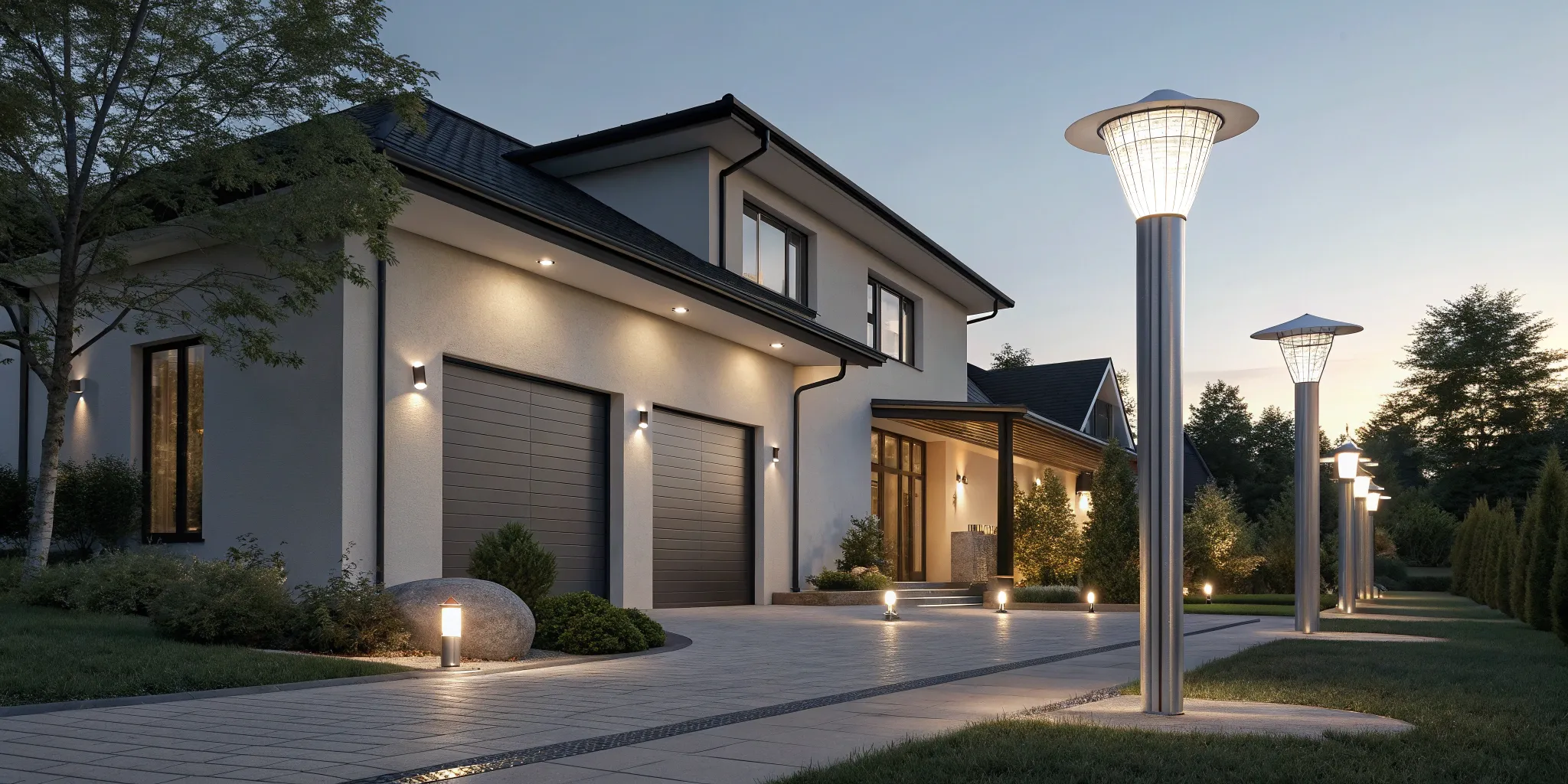
Tired of putting up and taking down holiday lights every year? Permanent outdoor eave lights are the perfect solution. These durable, weather-resistant fixtures are professionally installed along your roofline to provide year-round accent lighting for your home. You can set them to a classic warm white for everyday elegance, then switch to festive colors for holidays or game days with a tap in an app. Beyond aesthetics, they also enhance your home’s security by illuminating dark areas. Because this type of installation involves working with your home’s exterior and electrical system, it’s a job best left to a professional to ensure everything is safe, secure, and built to last. A licensed electrician can handle the wiring and make sure your new outdoor lighting is perfectly integrated.
How Smart LEDs Save Money and Simplify Your Life
Smart lighting is more than just a cool party trick. It’s a practical upgrade that can genuinely make your home more efficient and your life a little easier. By combining long-lasting LED technology with smart controls, these systems offer tangible benefits in energy savings, convenience, and even home security. Let’s look at how making the switch can impact your daily routine and your wallet.
How Much Energy Do Smart LEDs Really Save?
The first and most obvious win with smart lighting is energy efficiency. At their core, smart lights use LED bulbs, which consume significantly less power than the incandescent bulbs many of us grew up with. This efficiency means they not only save energy but also last much longer. A longer lifespan means you’ll spend less time on a stepladder changing bulbs and less money buying replacements. Upgrading your home’s lighting is a straightforward way to reduce your monthly energy bills, and a professional can ensure your new fixtures are installed safely and correctly as part of any residential electric project.
Set It and Forget It: Scheduling and Remote Access
Imagine your lights gently brightening to wake you up in the morning or automatically turning off when you leave for work. That’s the power of scheduling and remote control. With smart LEDs, you can manage your entire lighting system from an app or with simple voice commands. You can instantly change the feel of a room by adjusting brightness or color. This level of control isn’t just for fun; it simplifies your life. You can create schedules that match your family’s routine, ensuring lights are on when you need them and off when you don’t, all without flipping a single switch.
Creating a Safer, Smarter Home with Light
Smart lighting also plays a key role in modern home security. The ability to control your lights from anywhere is a powerful deterrent. You can turn lights on and off while you’re on vacation to create the illusion that someone is home, a simple trick that can make your property less of a target. This feature is a great investment in your peace of mind. Furthermore, smart lights can integrate with your other smart devices, like security cameras or smart assistants, to create automated routines. For example, you can have your porch light turn on automatically when your video doorbell detects motion. Ensuring these systems work together seamlessly is where professional electrician repairs and installation can make all the difference.
How Much Does a Smart LED System Cost?
Thinking about upgrading to smart lighting is exciting, but it’s natural to wonder about the budget. The cost of installing a smart LED system can vary quite a bit, depending on whether you’re starting with a single room or planning a complete home overhaul. The final price tag is influenced by the size of your space, the number of lights you want to control, and the complexity of the system you choose.
It helps to think of smart lighting not just as a purchase, but as an investment in your home’s comfort, security, and efficiency. You’re paying for the convenience of controlling your lights from anywhere, the long-term savings on your energy bills, and the peace of mind that comes with a more secure home. Let’s break down what you can expect to spend, from a simple setup to a fully integrated system.
What to Budget for a Single Room
If you’re new to smart home tech, starting with one room is a fantastic way to get started without a huge commitment. A basic setup for a single room, like a living room or kitchen, is surprisingly affordable. This usually involves installing smart switches and dimmers that you can control with an app on your phone. It’s a simple change that makes a big difference in your daily routine.
For most homeowners, a single-room installation is an accessible project that lets you experience the benefits firsthand. This approach allows you to add more rooms over time as your budget and needs grow. Getting a professional to handle the wiring ensures everything is installed safely and correctly, giving you a solid foundation for your smart home.
Cost Comparison: Premium vs. Budget Brands
When you start shopping, you’ll notice a clear price gap between premium brands like Philips Hue and more budget-friendly options like Wiz or Sengled. With a premium system, you’re paying for more than just the bulb; you’re investing in a highly reliable, hub-based ecosystem. The Philips Hue system, for example, uses a central hub to create a dedicated network for your lights, ensuring they respond instantly without bogging down your Wi-Fi. This makes it a great choice for a whole-home setup. On the other hand, budget-friendly brands like Wiz and Sengled offer a simpler, hub-free approach where each bulb connects directly to your Wi-Fi. This makes them incredibly easy to set up and perfect for trying out smart lighting in one or two rooms. While they cost less, brands like Wiz still deliver great performance, offering a fantastic balance of features and affordability for most people.
The Cost of a Whole-Home Smart Lighting System
Ready to go all-in? A whole-house smart lighting system gives you seamless control over every light in your home. The investment for a comprehensive system is larger, often varying widely based on your home’s square footage and the number of fixtures you want to integrate. This level of customization allows you to create lighting scenes for movie nights, schedule outdoor lights to turn on at dusk, and manage everything from a single app.
Because a whole-house system is a more complex residential electric project, it’s important to plan it carefully. Factors like the type of bulbs, the number of switches, and the need for a central hub will all influence the final cost. Working with an experienced electrician ensures all the components work together perfectly, giving you a reliable and intuitive system that truly simplifies your life.
How to Install Smart Lighting on a Budget
While the initial cost is a key factor, it’s also important to look at the long-term value. Smart lighting is a smart investment because it can significantly lower your energy bills and make your home safer. LED bulbs use far less electricity than traditional incandescent bulbs, and the scheduling features mean you’ll never accidentally leave lights on all day.
Over time, these energy savings really add up, helping to offset the upfront installation cost. Plus, the security benefits are a major bonus. You can program lights to turn on and off while you’re on vacation, making it look like someone is home. When you consider the monthly savings and the added peace of mind, smart lighting often proves to be a practical and worthwhile home upgrade.
DIY vs. Professional Installation: Which Is Right for You?
Deciding between a DIY project and calling in a professional is a common question when upgrading your home. With smart lighting, the answer really depends on the scope of your project and your comfort level with electrical work. Some systems are designed for an easy, out-of-the-box setup that you can complete in an afternoon. Others, especially those involving new fixtures or in-wall switches, require a deeper understanding of your home’s wiring.
Before you start, it’s important to honestly assess the complexity of the installation. Are you simply swapping out a few bulbs, or are you planning a whole-home system with integrated controls? Thinking through your plan will help you determine whether this is a weekend project or a job for a licensed electrician. Getting it right means enjoying all the benefits of your new system without any of the risks.
When to Go the DIY Route
Getting started with smart lighting doesn’t have to be complicated. If you’re looking for a simple entry point, you can absolutely handle the installation yourself. The easiest options are smart LED bulbs and smart plugs, which are essentially plug-and-play. You just swap your existing bulb for a smart version or plug a smart socket into a standard outlet. These devices connect to your Wi-Fi network and can be controlled through an app on your phone. It’s a fantastic way to experiment with smart home technology without touching a single wire, making it a perfect project for beginners or renters who can’t make permanent changes to their home.
Why You Might Need a Professional Installer
When your smart lighting plan goes beyond simple bulbs and plugs, it’s time to call a professional. Installing smart switches, in-wall dimmers, or integrated ceiling fixtures involves working directly with your home’s electrical system. A licensed electrician can ensure these components are wired correctly and safely. They can also help you set up more complex, hub-based systems that connect multiple lights and rooms. A professional ensures all your devices communicate properly and that your network can handle the load. For a seamless, fully integrated smart home, investing in professional residential electric services guarantees the job is done right the first time, saving you headaches down the road.
Installing Smart Switches and Hardwired Fixtures
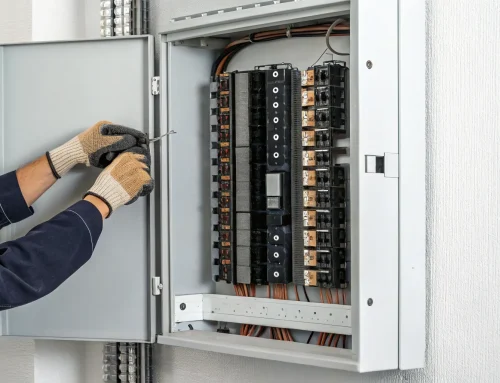
While swapping out a lightbulb is a simple task anyone can do, installing smart switches, dimmers, or hardwired fixtures is a different story. This type of upgrade requires you to work directly with your home’s wiring, which can be risky if you don’t have the right experience. A licensed electrician will know how to safely handle the installation, ensuring that everything is connected properly and meets local electrical codes. This isn’t just about getting the lights to work; it’s about protecting your home and family from potential electrical hazards. For a secure and reliable setup, it’s always best to leave any job that involves wiring to a professional who can perform the necessary electrician repairs and installations safely.
Working with Older Wiring in Southeastern PA Homes
Many of us in Southeastern Pennsylvania live in beautiful older homes, but their charm can sometimes come with outdated electrical systems. When installing smart lighting, this can present a real challenge. Older wiring might not have the neutral wire required for most smart switches to function correctly, and attempting a DIY installation without knowing what you’re looking at can be dangerous. Before you start any project, it’s a good idea to have a professional assess your home’s electrical system. An experienced electrician can identify any issues, make the necessary upgrades, and ensure your wiring can safely support your new smart technology, giving you peace of mind and a system that works flawlessly.
Putting Safety First: Your Home’s Wiring
Your home’s electrical system is not the place for guesswork. Safety should always be your top priority, and professional installation is the safest route for any project that involves wiring. An experienced electrician understands the specific safety protocols, like shutting off power at the breaker and using the right tools for the job. More importantly, they are knowledgeable about state and local electrical codes, ensuring your installation is fully compliant. Faulty wiring is a serious fire hazard. By hiring a professional for electrician repairs and installations, you protect your home, your family, and your investment in smart technology, giving you peace of mind.
How to Get Your Smart Lighting Setup Right the First Time
Getting your smart lighting system up and running smoothly comes down to a bit of thoughtful preparation. A great setup doesn’t just happen by accident; it’s the result of planning your layout, ensuring your tech is compatible, and testing everything once it’s in place. Taking the time to think through these steps will save you from the frustration of flickering bulbs or unresponsive apps later on. It ensures your new system works exactly how you imagined, whether you’re setting schedules, changing colors, or just asking your voice assistant to dim the lights for movie night.
First, Map Out Your Lighting Plan
Before you buy a single bulb, walk through your home and map out your vision. A little preparation goes a long way in ensuring a smooth installation. Decide which rooms need smart lighting and what you want to achieve in each space. Are you looking for color-changing bulbs in the living room for ambiance, or do you need dimmable white lights in the bedroom that warm up as you get ready for bed? Remember, there are various types of smart lighting solutions. You can replace existing bulbs, install new fixtures, or even convert standard lamps into smart-controlled lights with a simple plug. Thinking about your home’s overall residential electric setup can also help you identify any potential challenges early on.
Getting Your Wi-Fi and Hub Ready
Your smart lights are only as reliable as your home network. Start by checking your Wi-Fi signal strength in the areas where you plan to install them. If the signal is weak, you might need a Wi-Fi extender. Next, consider compatibility. If you already use Alexa or Google Home, choose smart lights that support those platforms for seamless voice control. Some systems require a central hub to connect the lights to the internet, allowing you to control them with your phone. This hub acts as the brain of your system, so make sure it’s placed in a central location for the best connection to all your devices.
How to Test and Troubleshoot Your New Lights
Once your lights are installed, it’s time to put them to the test. Don’t just turn them on and off—explore all their features. Check the dimming range, cycle through different colors, and set up a few simple schedules or scenes in the app. This helps you confirm everything is working correctly and get comfortable with the controls. If a light isn’t responding, the fix is often as simple as restarting your router or hub. For any issues that seem more complex, especially if you suspect a wiring problem, it’s always best to contact a professional for electrician repairs to ensure everything is safe and up to code.
The Pros and Cons of Smart LED Lighting
Smart LED lighting sounds like something straight out of the future, and in many ways, it is. The ability to control every light in your home from your phone is a powerful upgrade. But like any new technology, it’s wise to look at the full picture before you start swapping out bulbs. Understanding both the exciting benefits and the potential headaches will help you decide if this technology is the right fit for your home and lifestyle. It’s all about finding that sweet spot between cool features and practical, everyday use. Let’s break down what you can expect from a smart lighting system.
The Biggest Perks of Going Smart
The biggest draw of smart lighting is the incredible level of control it gives you. Imagine adjusting the brightness for movie night or changing the color to create a relaxing vibe, all from your phone or with a simple voice command. You can set schedules so your lights turn on automatically before you get home, or dim slowly as you get ready for bed. Beyond the convenience, smart LEDs are highly energy-efficient, which can lead to real savings on your electricity bill over time. They also add a layer of security, allowing you to turn lights on and off remotely to make it look like someone’s home, even when you’re away on vacation.
What Are the Downsides?
On the flip side, getting started with smart lighting can feel a bit complex. Some systems require a central hub to connect everything, which adds another device and step to the setup process. The initial cost can also be higher than traditional LED bulbs, especially if you’re outfitting your entire house. Another point to consider is privacy. Since these are connected devices, the companies that make them often collect some user data, so it’s worth a quick look at their privacy policies. Finally, a complex, whole-home system might require professional help to ensure it works seamlessly with your home’s existing electrical wiring, which is an added consideration for your budget.
The Wall Switch Problem: It Must Stay On
One of the most common frustrations with smart bulbs is their relationship with the traditional wall switch. For a smart bulb to respond to your app or voice commands, the light fixture it’s in must constantly have power. This means the physical wall switch has to stay in the “on” position, always. This can be a surprisingly hard habit to break for family members or guests who instinctively flip the switch when entering or leaving a room. When they do, your smart bulb goes offline, becoming just a regular, unresponsive bulb. The best solution is to install smart switches or dimmers, which provide both smart functionality and a familiar physical control. However, this involves working with your home’s wiring, so it’s a job best left to a licensed electrician to ensure everything is safe and up to code.
What Happens After a Power Outage?
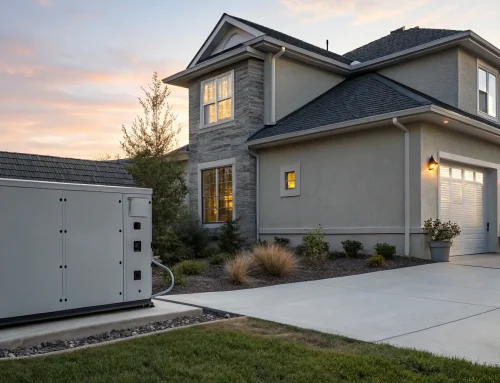
Power outages can create a jarring experience with some smart lighting systems. Many smart bulbs are programmed to turn on to full brightness as soon as power is restored. If the electricity comes back in the middle of the night, you could be woken up by every light in your house blasting at 100%. While some newer models have a “power loss recovery” setting, it’s not a standard feature across all brands. This is a perfect example of how much our modern homes depend on stable power. A brief outage can disrupt your smart home’s automations and your peace. This is why many homeowners in our area invest in a residential standby generator. It provides seamless, automatic power to your entire home, so your lights, security systems, and all your smart devices continue to work without a single interruption.
Relying on More Than Just Your Phone App
While the companion app is your command center for smart lighting, relying on it as your only method of control can be a problem. What happens if your Wi-Fi goes down, your phone battery dies, or you have a guest who doesn’t have the app? If your phone is the only key, you could find yourself stuck in the dark. A truly reliable smart lighting system offers multiple points of control. This could mean integrating voice assistants like Alexa or Google Home, or, even better, installing smart switches that provide a dependable, physical backup. This ensures that anyone can operate the lights easily, regardless of whether they have a phone in their hand, making your smart home more accessible and user-friendly for everyone.
How to Choose the Perfect Smart Lighting System
You’ve explored the brands and weighed the features, and now it’s time for the fun part: designing a smart lighting system that’s perfect for your home. This final step is all about creating a practical plan that fits your space, your lifestyle, and your budget. By thinking through your home’s current setup and how you’ll actually use your new lights, you can move forward confidently. Let’s walk through the three key steps to building your ideal smart lighting plan.
Start by Checking Your Home’s Wiring
Before you get carried away adding smart bulbs to your online cart, take a moment to look at your home’s existing electrical system. This is a crucial first step for both safety and compatibility. Some smart switches, for example, require a neutral wire that isn’t always present in older homes. It’s also important to make sure any new installations comply with state and local codes. If you’re not sure what you’re looking at or feel the least bit hesitant, it’s always best to bring in a professional electrician. They can assess your wiring, ensure everything is up to code, and handle any complex installations, giving you complete peace of mind.
Find the Right Features for Your Daily Routine
The best smart lighting system is one you’ll actually use every day. Think about your daily routines and what would make your life easier. Are you always fumbling for a light switch with your hands full? Voice control is a must. If you’re already using Alexa or Google Home, choose smart lights that natively support those platforms for seamless control. Do you love hosting movie nights? Dimmable, color-changing bulbs can create the perfect ambiance. If you travel often, scheduling and remote access can add a layer of security. Focus on the features that solve a problem or add a little joy to your day-to-day, not just the ones that sound the most futuristic.
Final Step: Build Your Smart Lighting Plan
Now, let’s map it out. You don’t have to overhaul your entire house at once. In fact, starting small is a great way to get comfortable with the technology. Using smart LED bulbs and smart plugs is the simplest route to get started, as they are literally plug-and-play. You can just swap a standard bulb for a smart one or plug a lamp into a smart socket. Decide which room would benefit most—maybe the living room or your primary bedroom—and start there. Think about what you want to achieve in that space and which products will get you there. This simple, room-by-room approach makes the process manageable and ensures you build a system you love.
Related Articles
- How to Install Motion Sensor Light Indoor: A DIY Guide
- Outdoor Motion Sensor Light Wiring Diagram Explained
- The Ultimate Guide to Motion Sensor Light Installation
Frequently Asked Questions
Do I have to replace all my light fixtures to use smart lighting? Not at all! The easiest way to start is by simply swapping your existing bulbs with smart LED bulbs. They screw into your current lamps and fixtures just like regular bulbs. You can also use smart plugs for your lamps, which lets you control them from an app without changing the bulb. If you want a more built-in solution, you can replace your wall switches with smart switches, which gives you smart control over any fixture connected to that switch.
What happens to my smart lights if the internet goes down? This is a great question, and the answer depends on your setup. If your lights connect directly to Wi-Fi, you won’t be able to control them from your app or with your voice assistant when the internet is out. However, you can still turn them on and off the old-fashioned way using the light switch. For systems that use a hub, like Philips Hue, your pre-set schedules and automations will often continue to work locally even without an internet connection.
Can I mix and match different brands of smart lights? You can, but it’s best to plan ahead. While you can control lights from different brands, you’ll likely have to use separate apps for each one, which can get a little clunky. A better approach is to use a central smart home platform like Amazon Alexa, Google Home, or Apple HomeKit. These systems can group devices from various brands, allowing you to control them all with a single voice command or routine.
Will smart lighting work in my older home? Yes, smart lighting can absolutely be installed in older homes, but there are a few things to keep in mind. The simplest upgrades, like smart bulbs and plugs, will work anywhere you have a standard socket. If you’re interested in installing smart switches, some models require a neutral wire that isn’t always present in older wiring. This is a perfect time to have a professional electrician take a look to confirm what your system can support and ensure any new wiring is done safely.
Do I need a hub for every smart lighting system? No, you don’t. Many popular brands like LIFX, Wiz, and Kasa connect their bulbs directly to your home’s Wi-Fi network, so no extra hardware is needed. Other systems, such as Philips Hue, use a central hub that creates a separate, dedicated network for your lights. This can lead to a more stable and responsive system, especially if you plan on adding a lot of smart devices, as it won’t slow down your Wi-Fi.