
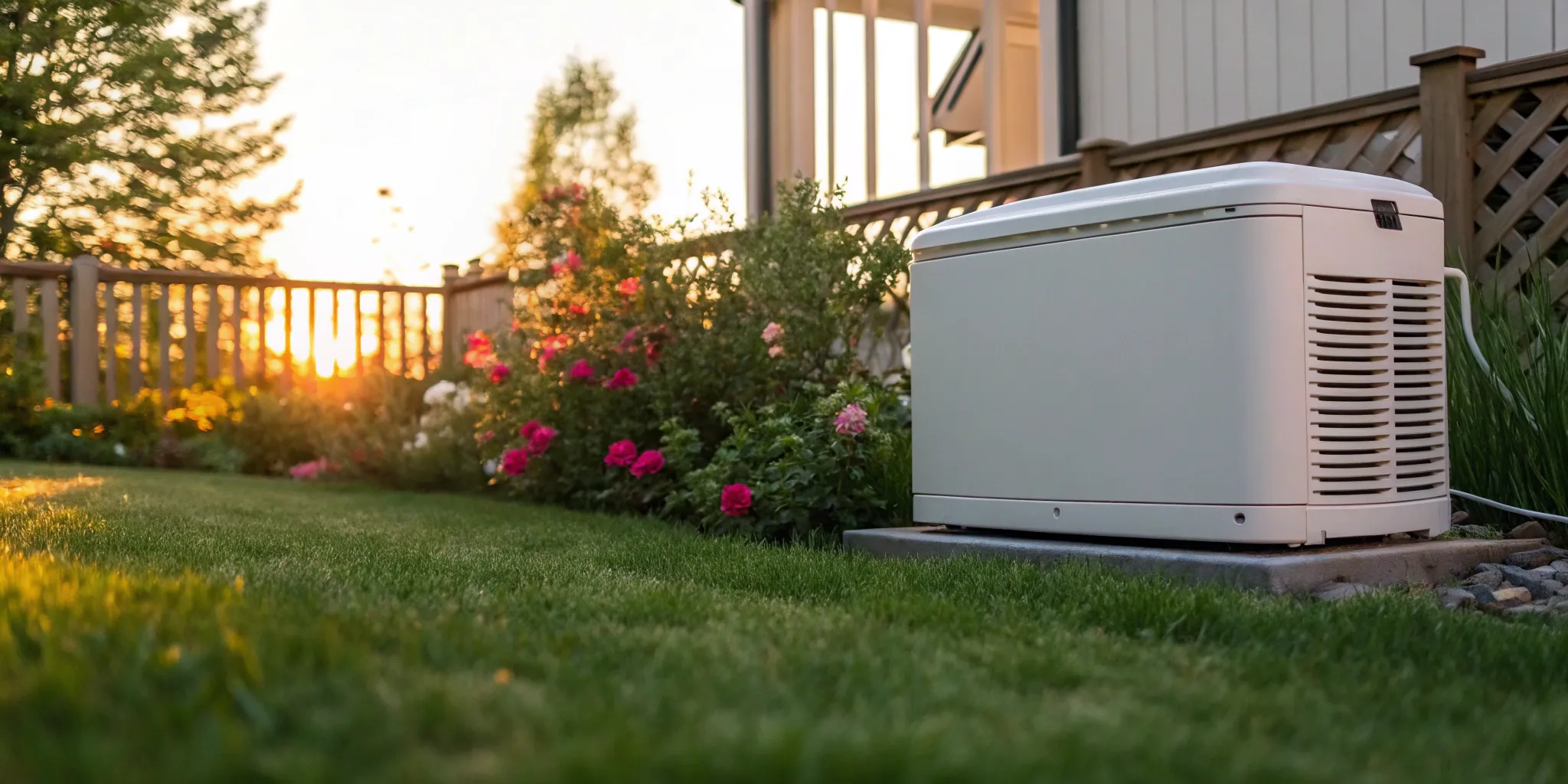
A blinking light on your generator can be alarming, but the yellow light on your Generac generator isn’t a sign of disaster. Think of it as a helpful reminder, not a warning of failure. This light is a proactive feature designed to help you keep your generator in peak condition, preventing small issues from becoming major problems. It’s almost always a simple heads-up for routine upkeep. Understanding the full Generac red and yellow light system is key to staying prepared. We’ll cover what each light means, what you can do about it, and when it’s best to let a professional take over.
Key Takeaways
- Decode the Warning Lights: A yellow light is a simple reminder for routine maintenance, not an emergency. A red light, however, signals a critical problem that requires you to stop and call for professional service immediately.
- Start with Simple Maintenance Checks: When you see a yellow light, your first move should be to check the basics. Simple tasks like changing the oil and filters, inspecting the battery, and then resetting the panel often resolve the alert.
- Don’t Ignore Persistent Warnings: If you’ve completed maintenance and reset the unit but the yellow light remains, it’s a clear sign to call a certified technician. This prevents a small issue from becoming a major repair.
Why Is My Generac Generator Showing a Yellow Light?
Seeing a warning light on any piece of equipment can be a little stressful, but when it comes to your Generac generator, there’s no need to panic. These machines are designed to communicate their status clearly, and that yellow light is usually just a friendly nudge. Think of the lights on the side of your generator—green, yellow, and red—as a simple communication system. Green means everything is running smoothly and is ready for the next outage. Yellow and red, however, are your generator’s way of telling you it needs a little attention to stay in top shape. Understanding what each light means will help you keep your generator reliable for years to come.
A Quick Guide to Generator Warning Lights
Your Generac generator uses a straightforward three-light system to show you its operational status at a glance. A solid green light is what you always want to see; it indicates the generator is in ready mode and everything is functioning as it should. If you see a yellow light, it’s a heads-up that maintenance is needed soon. It’s not an emergency, but it’s also not something to ignore. A red light signals a more significant fault that has stopped the generator from operating. This system is designed to be intuitive, giving you a quick visual cue so you can take the right action to ensure your home has power when you need it most.
Understanding the Green Light
A solid green light is what you always want to see on your Generac generator. It means the unit is in “Ready” or “Auto” mode, indicating that everything is functioning correctly and it’s prepared to take over the moment a power outage occurs. This light is your visual confirmation that the generator has passed its self-tests, has adequate fuel, and is standing by to protect your home. When you see that steady green glow, you can feel confident knowing your investment is working exactly as it should, providing you with complete peace of mind.
Decoding Other Light Combinations
While green is good, the yellow and red lights are your generator’s way of asking for attention. A yellow light is a heads-up that routine maintenance is needed soon. It’s not an emergency, but it’s also not something to ignore. Think of it as a friendly reminder to keep your unit in top shape. A red light, however, signals a more significant fault that has stopped the generator from operating. If you see a red light, the unit will not run during an outage, and it’s time to call a certified technician for professional service and repair to diagnose and fix the problem safely.
Generac Red and Yellow Light: What’s the Difference?
The key difference between the yellow and red lights is urgency. A yellow light is a maintenance advisory. It typically means your generator is due for its routine service, but it will still run if an outage occurs. It’s a proactive signal to schedule a check-up. A red light, on the other hand, indicates a problem that needs immediate attention. This light means the generator has a fault that could prevent it from running correctly. If you see a red light, it’s time to investigate the issue or call for professional Generac service and repair to get it back online.
Common Reasons Your Generac’s Yellow Light Is On
More often than not, the yellow light on your Generac is simply a reminder that it’s time for its scheduled check-up. Just like your car needs regular oil changes to run well, your generator needs routine care to perform reliably. This light is often triggered when it’s time for its annual service. Common maintenance tasks include changing the oil and oil filter, inspecting the battery, and replacing the air filter. By staying on top of these tasks, you ensure your generator is ready to go when a storm hits. If you see the yellow light, it’s a good time to schedule your annual Generac maintenance with a certified technician.
Weekly Self-Test or “Exercise Mode”
If you’ve ever heard your generator kick on for a few minutes on a perfectly sunny day, you’ve witnessed its weekly self-test. This feature, often called “exercise mode,” is your generator’s way of staying in shape. By default, Generac units run this short diagnostic cycle once a week to make sure everything is ready for a real power outage. During this 15-minute “workout,” the generator circulates oil, charges its battery, and checks for any potential problems. It’s a smart, proactive function that helps catch small issues before they become big headaches. If the system detects something amiss during the test, it will often trigger the yellow light, giving you a heads-up that it’s time to schedule professional generator maintenance.
Other Warning Signs to Watch For
Beyond the simple light system, your generator has other ways of telling you something isn’t right. Paying attention to its regular behavior will help you spot trouble early. Your senses are some of the best diagnostic tools you have. If you notice changes in how your generator sounds during its weekly test or see anything unusual around the unit, it’s worth a closer look. Catching these subtle signs can help you address minor issues before they escalate, ensuring your generator is ready to perform when you need it most. Here are a few key things to keep an eye (and ear) out for.
Failing the Weekly Test
Your Generac generator is designed to run a short self-test, usually for about 10 to 20 minutes each week. This “exercise” cycle keeps the engine lubricated and confirms that everything is ready for an actual power outage. You probably hear it kick on at the same time every week. If you notice it suddenly misses a test or fails to complete the full cycle, that’s a clear red flag. A failed test indicates an underlying error that prevented it from running correctly. Don’t wait for a storm to find out what the problem is; a failed exercise is your cue to schedule a professional generator service and repair call to get it sorted out.
Strange Noises or Sputtering
You become accustomed to the normal hum of your generator during its weekly test. Any new or unusual sounds should grab your attention immediately. Noises like sputtering, popping, or grinding are definite signs of a problem. These sounds often point to an issue with the fuel delivery system or a mechanical problem inside the engine itself. Ignoring them can lead to more extensive and costly damage down the road. If your generator starts making noises that sound out of place, it’s best to have a certified technician diagnose the source of the sound and ensure your unit is operating safely and efficiently.
Visible Fluid Leaks
Just like your car, your generator relies on fluids like oil and coolant to operate smoothly. One of the most obvious signs of trouble is a puddle forming under or around the unit. You should never see oil or coolant on the ground. A dark, brownish puddle is likely an oil leak, while a bright green or pinkish fluid typically indicates a coolant leak. Either one can cause serious engine damage if left unaddressed. If you spot a leak, it’s a serious warning sign that requires professional attention. A trusted technician can identify the source of the leak and perform the necessary Generac maintenance to prevent catastrophic failure.
Simple Maintenance to Clear That Yellow Light
A yellow light on your Generac generator is usually a friendly nudge that it’s time for routine care. Think of it like the “service engine soon” light in your car—it’s not an emergency, but a signal to give your generator some attention to keep it running smoothly. Before you panic, walking through a few basic maintenance checks can often resolve the issue and get that light back to a reassuring green. These steps cover the most common reasons for a maintenance alert and are a great starting point for any generator owner. If you’re comfortable with basic engine care, you can handle many of these yourself. However, if you’d rather leave it to the experts, our team is always ready to help with professional Generac maintenance.
First, Check Your Oil and Filter
Just like your car, your generator’s engine needs clean oil to run efficiently. The most common reason for a yellow light is a simple reminder that it’s time for an oil and filter change. This is part of the generator’s scheduled maintenance routine, which alerts you after a certain number of operating hours or a set period, often annually. Changing the oil and filter removes contaminants that cause wear and tear on the engine. It’s a fundamental step in ensuring your generator will be ready to perform when you need it most during a power outage.
Next, Inspect the Air Filter
A clean air filter is essential for your generator’s performance. The engine needs a steady flow of clean air to run properly, and a clogged filter can restrict that flow, leading to reduced efficiency and increased fuel use. Typically, the air filter is checked and replaced during the same service as the oil change. It’s a quick step that makes a big difference. If you open the generator and see that the filter is full of dust and debris, swapping it out for a new one is a smart move that might just clear your yellow light.
Don’t Forget the Battery and Connections
Your generator’s battery is its lifeline—without it, the engine can’t start when the power goes out. The yellow light can also be a reminder to check on the battery’s health. Start by visually inspecting the terminals for any signs of corrosion, which looks like a white or greenish powder. Make sure the connections are tight and secure, as a loose wire can prevent the battery from charging properly. If the battery seems low, it may need to be charged or replaced. This simple check ensures your generator has the starting power it needs.
Is Your Generator’s Coolant Level Low?
While less common for a simple yellow light, a comprehensive check should include the coolant system. Coolant prevents your generator’s engine from overheating, especially during long outages. Take a look at the coolant level to make sure it’s within the recommended range and look for any signs of leaks around the hoses or radiator. Keeping the coolant system in good shape is key preventative care. If you notice low levels or signs of a leak, it’s best to get professional Generac service and repair to address the problem before it becomes more serious.
The Importance of Proactive Generator Maintenance
While clearing a yellow light is a great first step, true peace of mind comes from proactive, consistent care. Your generator is a complex piece of machinery that sits idle most of the time, only to be called into action at a moment’s notice. This is why treating maintenance as an annual necessity, rather than a reaction to a warning light, is so important. Regular service ensures every component is ready to perform, preventing the stress and potential expense of a failure during a critical power outage. By investing in routine upkeep, you’re not just maintaining a machine; you’re ensuring your home remains a safe and comfortable sanctuary, no matter the weather.
Why Annual Service is Non-Negotiable
Think of your generator’s annual service as its yearly physical. Just as you visit a doctor for preventative check-ups, your generator needs a professional eye to catch small issues before they become big problems. More often than not, the yellow light on your Generac is simply a reminder that it’s time for this scheduled check-up. Skipping this routine care is a gamble that could leave you without power when you need it most. A certified technician does more than just change the oil; they perform a comprehensive inspection of the entire system, from electrical connections to fuel lines, ensuring everything is in perfect working order. This annual appointment is the single best thing you can do to guarantee reliability and extend the life of your investment.
Oil and Filter Changes
At the heart of any maintenance plan are the oil and filter changes. Much like the engine in your car, your generator’s engine relies on clean oil to lubricate moving parts and prevent overheating. Over time, oil breaks down and collects dirt, sludge, and other contaminants that can cause significant wear and tear. Changing the oil and filter is a fundamental step that flushes out these harmful particles, ensuring the engine runs smoothly and efficiently. This simple task is critical for your generator’s longevity and is a core part of any professional Generac maintenance plan, keeping it ready to perform reliably through any outage.
Engine Valve Adjustments and Software Updates
Beyond the basics, comprehensive annual service includes more technical tasks like engine valve adjustments and software updates. Over time, engine valves can fall out of their precise calibration, affecting fuel efficiency and overall performance. A certified technician has the tools and expertise to adjust them back to factory specifications. Additionally, Generac occasionally releases software updates to improve functionality and address potential issues. These updates can only be installed by an authorized dealer. Handling these technical services ensures your generator runs not just reliably, but at its absolute best, giving you the most efficient and effective performance possible.
Understanding Battery Lifespan
Your generator’s battery is its lifeline—without it, the engine can’t start when the power goes out. Unfortunately, batteries don’t last forever. They typically have a lifespan of two to three years, and their performance can degrade over time, especially in extreme temperatures. A weak or failing battery is one of the most common reasons a generator fails to start. During a routine service visit, a technician will test the battery’s health and clean the terminals to ensure a solid connection. Being proactive about battery replacement is far better than discovering it’s dead during the first moments of a blackout. It’s a small but essential part of keeping your generator ready for action.
Oil Level Checks During Long Outages
While annual service prepares your generator for the year, extended power outages require a little extra attention from you. When your generator runs for more than 24 consecutive hours, it’s a good idea to check the oil level. Just like a car on a long road trip, the engine can consume a small amount of oil during continuous operation. To check it, simply turn the generator off and let the engine cool for a few minutes before using the dipstick. If the level is low, add the manufacturer-recommended oil to bring it back to the full mark. This simple check helps protect the engine during long run times and ensures it can keep going as long as you need it to.
How to Clear the Yellow Light on Your Generac Generator
So, you’ve completed your routine generator maintenance—great job! Taking care of your generator is the best way to ensure it’s ready when you need it. The final step in this process is clearing the yellow maintenance reminder light on the control panel. Think of it as your generator’s way of saying, “Thanks for the tune-up!” before it goes back into standby mode. Don’t worry, this is usually a quick and simple fix. Regular Generac maintenance is crucial for reliability, and resetting this light is the last box to check. Here are a few easy ways to do it.
Using the Control Panel to Reset the Light
The most direct way to clear the yellow light is right at the source: the generator’s control panel. Simply locate and press the “ENTER” button. You should feel a click. In most cases, this single press tells the system that maintenance is complete, and the light will turn off. If it stays on, try pressing the “ENTER” button a second time. Sometimes, the system just needs a firmer confirmation to register the command and clear the reminder. This is the first thing you should try, as it’s often the only step you’ll need.
Try a Simple Restart
If pressing the enter button doesn’t work, a quick power cycle is your next best bet. Find the main control knob on your generator and turn it to the “Off” position. This will shut down the engine completely. Now, here’s the important part: wait for at least one full minute. This gives the internal computer enough time to fully power down and reset its memory. Rushing this step can prevent the reset from working. After you’ve waited 60 seconds, turn the knob back to the “Auto” position. This simple restart often resolves the issue and clears the light.
Resetting the Light with the Mobile Link App
For those who use the Generac Mobile Link app, you have a convenient way to check if your reset was successful without walking back outside. After you’ve tried resetting the light using the control panel or by restarting the unit, open the app on your smartphone. Check the generator’s current status. You’re looking for the green “Ready To Run” message. If you see this, it’s confirmation that the yellow light has been cleared and your generator is back in its proper standby mode, fully prepared for the next power outage.
The Yellow Light Is Still On? Here’s What to Do Next
If you’ve tried all the steps above and the yellow light is still shining, it’s time to pause. A persistent light that won’t reset could be your generator’s way of flagging a more complex issue that goes beyond a simple maintenance reminder. Instead of continuing to troubleshoot, the safest and most effective next step is to call a professional. Our certified technicians are experts in diagnosing these problems. When a simple fix doesn’t work, you can count on us for reliable Generac service and repair to get to the root of the problem and ensure your generator is truly ready for anything.
Essential Troubleshooting and Safety Checks
Even with regular maintenance, you might occasionally run into an issue with your generator. The good news is that many common problems have simple solutions you can check yourself before calling for help. However, safety should always be your top priority. Working with generators involves electricity and fuel, so it’s crucial to know which tasks are safe for a homeowner and which ones absolutely require a professional. This guide will walk you through some basic troubleshooting steps, helping you identify simple fixes and recognize when it’s time to call for expert Generac service and repair. By following these safety checks, you can confidently assess the situation and keep your home’s backup power system in reliable condition.
Safety First: Before You Inspect
Before you even think about opening the generator’s enclosure, you need to put safety at the forefront. These machines are powerful, and taking a few simple precautions is non-negotiable. The first and most important rule is to ensure the generator cannot start unexpectedly while you are inspecting it. This protects you from moving parts and electrical hazards. Following these initial safety steps will create a secure environment for you to perform basic checks, like looking for a tripped breaker, without putting yourself at risk. Never skip these preliminary measures; they are the foundation of any safe troubleshooting process.
Turn the Generator Off
Your first action should always be to turn the generator off. Locate the main control switch on the unit’s control panel and move it to the “Off” position. This prevents the generator from automatically starting if it’s in its weekly self-test mode or if the power happens to go out while you’re working. For an added layer of safety, you can also shut off the main circuit breaker that connects the generator to your home. This step is absolutely critical for your safety and ensures that the machine remains completely dormant during your inspection, preventing any accidental starts.
Check for Tripped Breakers
If your generator isn’t providing power, one of the first and easiest things to check is the circuit breaker. You’ll find breakers located both on the generator itself and in your home’s main electrical panel, often near the automatic transfer switch. A tripped breaker is a common issue that can cut off power flow. Look for a switch that is in the “Off” position or stuck in the middle. If you find one, simply flip it back to the “On” position. This simple fix can often restore power immediately without the need for any further intervention.
Using Error Codes for Diagnosis
Your Generac generator is designed to tell you what’s wrong through its system of warning lights and error codes. As we’ve discussed, a yellow light is typically a maintenance reminder, while a red light signals a more serious fault that has shut the unit down. When you see a red light, the control panel will often display a specific error code. This code is your best clue for diagnosing the problem. You can look up the code in your owner’s manual to understand what it means. While some codes might point to a simple fix, many indicate an internal issue that requires professional attention from a certified technician.
When the Generator Runs but the Power is Off
It can be confusing when you hear your generator running during an outage, but your lights are still off. In this situation, the problem often isn’t with the generator engine itself but with the system that transfers power to your home. The generator is doing its job by producing electricity, but something is preventing that power from reaching your electrical panel. More often than not, the culprit is the Automatic Transfer Switch (ATS), which is the critical component responsible for managing the flow of power between the utility grid and your generator.
Checking the Automatic Transfer Switch (ATS)
The Automatic Transfer Switch is the brain of your backup power system. It detects when utility power is lost and signals your generator to start, then safely transfers your home’s electrical load to the generator. If the ATS malfunctions, it can fail to make this transfer, leaving you in the dark even with a running generator. You can visually inspect the ATS for any obvious signs of damage, but this component is complex and connected directly to your home’s high-voltage wiring. Due to the risks involved, any issues with the ATS should be handled by a qualified professional who can provide safe and reliable electrician repairs.
What to Do if You Smell Gas
If you ever detect the smell of natural gas or propane near your generator, you must act immediately. This is a serious safety hazard that requires urgent attention. Do not try to start or stop the generator, and do not turn any lights or electrical devices on or off, as a spark could ignite the gas. Your first step should be to shut off the fuel supply to the generator at its source. After that, leave the area and call for professional help from a safe distance. A gas leak is not something to troubleshoot on your own; it requires immediate Generac service and repair from a certified technician.
Still Seeing a Yellow or Red Light? When to Call for Help
You’ve done the maintenance, followed the reset steps, and given it your best shot, but sometimes a warning light just won’t quit. While handling basic upkeep is a great way to care for your generator, knowing when to step back and call a professional is just as important. A persistent yellow light or any red light is your generator’s way of telling you it needs an expert’s touch. Ignoring these signals can turn a minor issue into a major, costly repair. Think of it as preventative care for your home’s power security. A timely service call ensures your generator is truly ready for the next outage, giving you peace of mind that your investment is protected and your family will be safe.
If Maintenance Doesn’t Clear the Yellow Light
You’ve changed the oil, replaced the filters, and reset the maintenance reminder, but that yellow light is still staring back at you. This is a clear sign that the issue goes beyond routine upkeep. A persistent yellow light indicates an underlying fault that your generator’s self-diagnostics have detected. Continuing to run the unit or repeatedly trying to clear the code without addressing the root cause could lead to more significant problems down the line. If the yellow light stays on after you’ve completed maintenance, it’s time to call a professional. Our technicians have the diagnostic tools to pinpoint the exact problem and perform the necessary Generac service and repair to get it running smoothly again.
What Does a Red Light on a Generac Mean?
Unlike the yellow maintenance reminder, a red light on your Generac generator is a stop sign. It signals a critical fault that has likely caused the generator to shut down to protect itself from serious damage. A red light means there’s a serious problem that needs immediate attention. This is not a DIY situation. Attempting to restart the generator without understanding the cause could damage the engine or electrical components. When you see a red light, your first and only step should be to contact an authorized Generac service dealer. Our team is trained to interpret these critical alerts and safely resolve the issue, ensuring your generator is ready for the next power outage.
Common Red Light Causes: Low Oil and Overcrank
So, what kind of serious issues trigger a red light? Common causes include low oil pressure, high engine temperature, or an overcrank fault. An overcrank error means the generator tried to start multiple times but failed, which could point to fuel delivery problems, a dead battery, or other engine issues. Low oil pressure or overheating are critical alerts that, if ignored, could lead to complete engine failure. These aren’t simple fixes; they are symptoms of a larger problem that requires a professional diagnosis. A certified technician can identify why the engine is overheating or why it failed to start, ensuring the repair addresses the source of the problem.
Overload Condition
Another reason for a red light is an overload condition. This happens when your home tries to draw more power than your generator is designed to produce, causing it to shut down to protect its engine and your home’s electronics. This could happen if too many large appliances, like your air conditioner, electric stove, and dryer, all turn on at once. A red light signals a more significant fault that has stopped the generator from operating. While you can try turning off some breakers to reduce the load before attempting a reset, a persistent overload issue might suggest a problem with the transfer switch or that the generator isn’t sized correctly for your home’s needs. In these cases, professional Generac service and repair is the best way to diagnose and fix the problem safely.
Critical Battery Fault
While a yellow light can be a simple reminder to check your battery, a red light indicates a critical battery fault. This means the battery has likely failed or the charging system isn’t working, leaving the generator without the power it needs to start during an outage. A technician will inspect the terminals for corrosion and ensure all connections are tight, but a red light fault goes beyond simple maintenance. It requires professional diagnostic tools to test the battery’s voltage and the charging system’s output. Ignoring this alert means your generator will not be able to start when you need it. Calling for professional service ensures the core issue is resolved, whether it’s replacing the battery or repairing the charging circuit.
Need an Expert? Here’s How We Can Help
If you’ve tried the basic troubleshooting steps for a yellow light and the problem isn’t fixed, it’s time to call us. And if you see a red light, don’t hesitate. These are the moments when you need a certified Generac service provider you can trust. The team at M.T. Ruhl has spent years working exclusively with Generac generators, and we have the expertise to handle everything from persistent maintenance reminders to critical engine faults. Don’t let a warning light leave you guessing about your home’s power security. Give us a call, and we’ll make sure your generator is in perfect working order.
Related Articles
- Generac Manual Lookup: A Simple Step-by-Step Guide
- The Ultimate Generac Generator Maintenance Schedule
- Generac Service Technician: Cost & What to Expect
Frequently Asked Questions
Can I just ignore the yellow light until the next power outage? While your generator will likely still run during an outage if the yellow light is on, it’s not a good idea to ignore it. Think of it as the “check engine” light in your car. It’s a proactive warning that routine service is needed to keep the machine in peak condition. Putting off maintenance can lead to bigger, more expensive problems down the road and might compromise its reliability when you need it most.
How often should I expect to perform maintenance on my generator? For most residential Generac generators, maintenance is typically performed once a year. The yellow light is often programmed to turn on automatically based on this annual schedule or after a specific number of run hours. Sticking to a regular service schedule is the best way to ensure your generator is always ready to protect your home.
Is it safe for me to perform these maintenance tasks myself? If you’re comfortable with basic engine maintenance, like what you’d do for a lawnmower, you can likely handle tasks like changing the oil and filters. However, a generator is a complex piece of equipment tied to your home’s electrical system. If you have any hesitation or uncertainty, the safest and most effective choice is to have a certified technician handle the service.
What’s the main difference in how I should react to a yellow light versus a red light? The simplest way to think about it is that a yellow light is a “heads-up,” while a red light is a “stop sign.” A yellow light is a non-urgent reminder to schedule maintenance soon. A red light indicates a serious fault that has stopped the generator from operating and requires immediate professional service to diagnose and fix.
I tried resetting the light after doing the maintenance, but it came back on. What does that mean? If the yellow light reappears shortly after you’ve reset it, the generator’s internal diagnostics are likely detecting a persistent issue that goes beyond a simple service reminder. Instead of continuing to reset it, this is a clear signal that it’s time to call a professional technician to investigate the underlying cause.